

Why Your $200 Security Camera Might Be Overkill
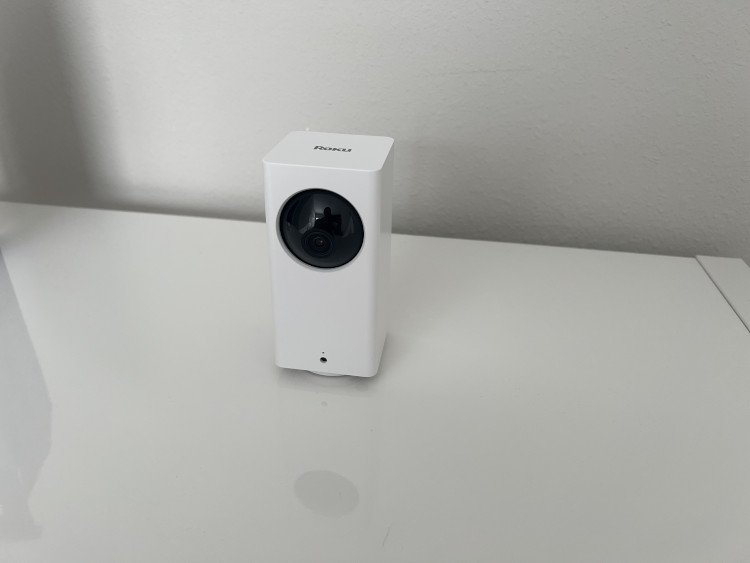
I’ll be honest. When I saw the Roku Indoor Camera 360 for $50, my first thought was skeptical:
“This has to be too good to be true.”
I mean, come on. Every “budget-friendly” security camera I’d researched cost at least $150. Most of them turned out to be expensive disappointments with hidden subscription fees.
But here’s the plot twist—I was completely wrong.
The Roku Indoor Camera 360 delivers genuinely solid home security. No gotchas. No surprise fees that double your costs. Just a camera that works exactly like it should. And it adds into Roku’s growing Smart Home platform.
For about fifty bucks on Amazon.
(I know, I’m still processing this too.)
Setup: So Easy It’s Almost Fun
Here’s where most security cameras lose me. The setup process usually involves:
- Hunting for tiny buttons you can barely see
- Wrestling with finicky Wi-Fi pairing modes
- Reading manuals written by robots
- Questioning your life choices
The Roku Indoor Camera 360 does none of that.
You literally point the camera at a QR code on your phone screen. That’s it. The camera connects to your Wi-Fi automatically and starts working immediately.
I’m talking 3 minutes from box to live video feed. Maybe 5 if you’re taking your time.
Even better? Everything you actually need comes in the box. The power cable is surprisingly long—about 10 feet—which gives you real flexibility for placement. Most budget cameras cheap out here with cables that barely reach anywhere useful.
Roku clearly thought this through.
Roku App and Streaming Options
Here’s the biggest misconception about the Roku Indoor Camera 360:
You don’t need a Roku TV to use it.
I can’t tell you how many people think you’re locked into Roku’s streaming ecosystem. Not true. The camera works perfectly on its own through the Roku Smart Home app.
Download the app, and you’re done. Live viewing, motion alerts, recordings, settings—everything happens right on your phone. The interface is clean and actually makes sense.
Unlike some apps that feel like they were designed by caffeinated interns.
Now, if you do have a Roku streaming device, you get a nice bonus. You can stream the camera feed directly to your TV. Great for keeping an eye on things from the couch or showing grandparents the baby’s room.
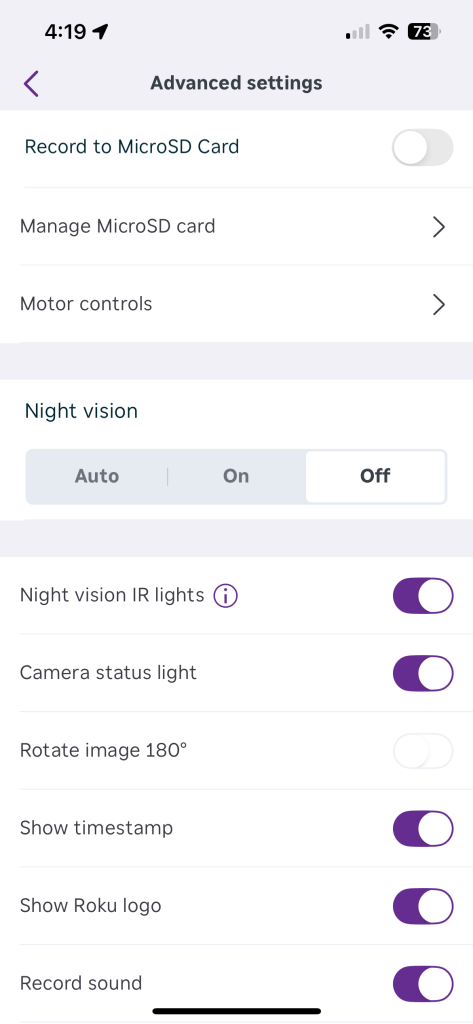
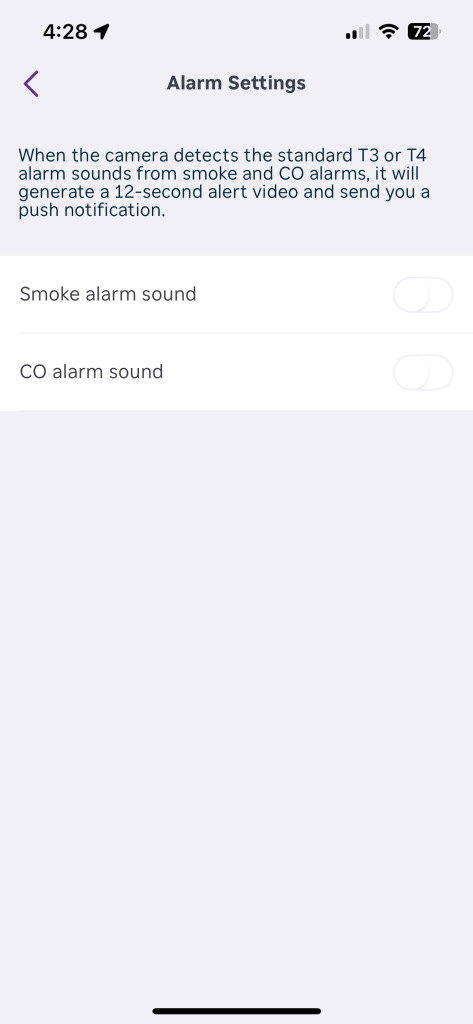
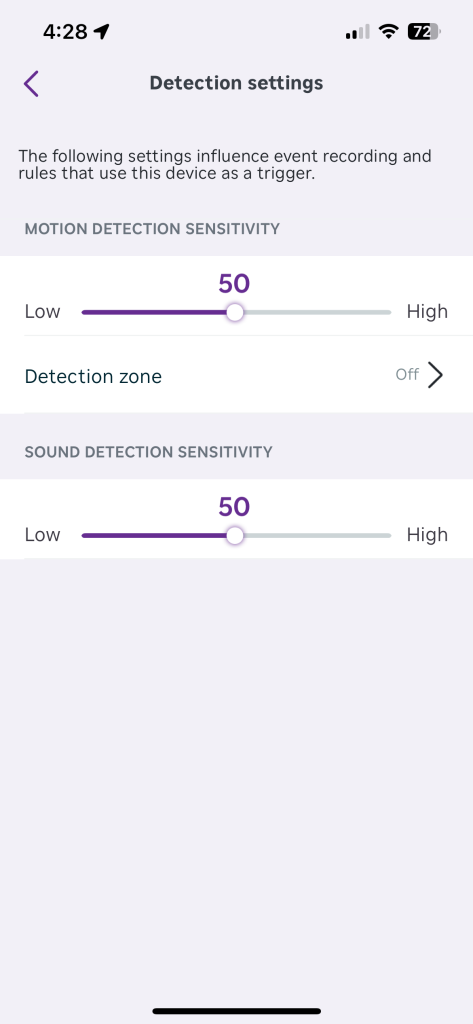
But honestly? The phone app handles 99% of what most people need.
The video quality surprised me too. We’re talking solid 1080p HD that actually looks good—not the blurry mess you expect from budget cameras. Motion detection works reliably without constant false alarms. Even the night vision shows useful detail instead of grainy shadows.
For $50 (on Amazon), the video clarity honestly shocked me.
Surprisingly Advanced Features for the Price
The Roku Indoor Camera 360 packs way more punch than its price tag suggests.
Motion tracking actually follows movement across the room. The built-in alarm can legitimately scare off intruders—or entertain your kids. (My daughter loves setting it off just to hear the noise.)
Two-way audio lets you talk through the camera. You can customize motion detection zones to avoid false alerts from pets or that annoying ceiling fan. Time stamps, resolution settings, night mode toggles—the options go deeper than expected for a $50 camera.
But here’s the hidden gem that most people miss: SD card support! You can get recordings without any subscription.
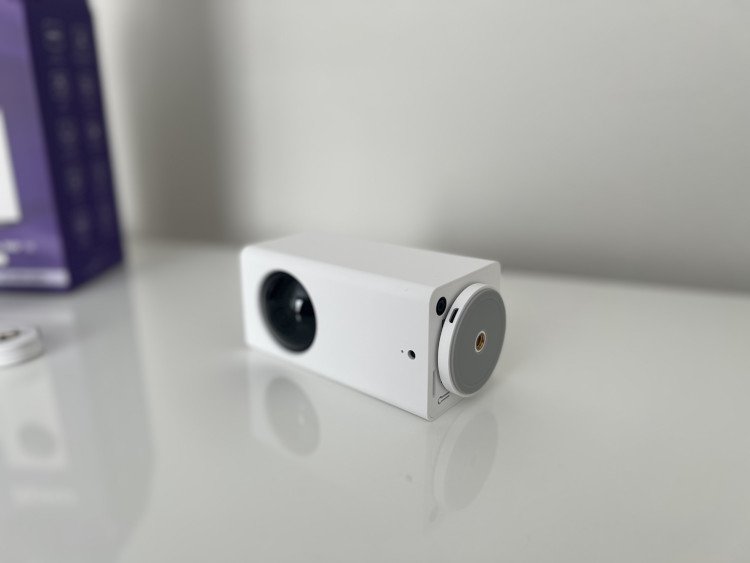
Most budget cameras claim local storage but make it practically useless. The Roku camera actually records organized event clips with timestamps and logs. Not just endless raw footage—actual searchable recordings of motion events. You just need to pop in an SD card on the bottom, like this one.
Here’s the catch though: You can’t easily view SD card footage through the app. You need to pull the card out and plug it into your computer to access the files. So it requires a bit more tech know-how than most people expect.
But honestly? For truly local storage that works at this price point, I’ll take the extra step. Most cameras in this range don’t even offer real local recording.
Worth It Even Without a Subscription
Let’s talk about the elephant in the room: subscription fees.
The Roku Smart Home subscription adds cloud storage and AI detection for people, pets, and packages. It’s $3.99 per month or $39.99 per year. Not unreasonable compared to other services. More info.
But here’s what sets Roku apart: You don’t actually need it.
The camera works great with just motion detection and local SD card storage. Live viewing, motion alerts, two-way audio, all the alarm features—everything core functionality stays completely free after your $50 purchase.
Compare that to other “budget” cameras that cripple basic features behind paywalls. Ring makes you pay for cloud storage. Wyze limits free recording to 12 seconds. Blink requires a subscription for most useful features.
Roku’s approach feels refreshingly honest. They’re not trying to hook you with a low price then nickel-and-dime you forever. Fifty bucks gets you a fully functional security camera that actually works without monthly fees.
Frequently Asked Questions
Yes, the camera works perfectly without any Roku streaming device. You just need the Roku Smart Home app on your phone or tablet. The Roku TV connection is a nice bonus feature, but it’s completely optional for basic functionality.
Setup takes about 3-5 minutes total. Download the Roku Smart Home app, create an account, and point the camera at the QR code displayed on your phone screen. The camera automatically connects to your Wi-Fi network and starts working immediately.
Yes, Roku cameras record to microSD cards without any subscription required. The camera stores motion-triggered event clips locally with timestamps and logs. However, you’ll need to remove the SD card and access it on a computer to view the footage. Cloud storage and AI detection features do require a subscription.
For $50, absolutely yes. The video quality, reliability, and feature set exceed expectations for the price point. Even without paying for a subscription, you get a fully functional security camera with local recording capabilities that many expensive cameras don’t offer.
Roku Indoor Camera 360: Best Budget Camera with Big Features?
The Roku Indoor Camera 360 proves that budget doesn’t have to mean basic.
For $50, you get 1080p video quality that actually looks good. Reliable motion detection without constant false alarms. Night vision that shows useful detail. Two-way audio, customizable zones, and a built-in alarm that works.
Plus—and this is huge—real local storage that records organized event clips without requiring a subscription. Sure, you need to pull the SD card to access footage on your computer. But how many cameras at this price even offer genuine local recording?
The setup is painless. The app makes sense. The features run deeper than cameras costing three times more.
The honest truth? The Roku Indoor Camera 360 isn’t trying to be a $300 premium security system. It doesn’t have 4K video or advanced AI tracking or professional monitoring services.
But it absolutely nails what most people actually need: reliable home security that works without breaking your budget.
If you want solid peace of mind for fifty bucks—and you don’t mind the occasional SD card swap—the Roku Indoor Camera 360 delivers exactly what it promises. Sometimes the best smart home tech is the tech that just works.
Even when you thought it was too good to be true.
Check it out on Amazon.