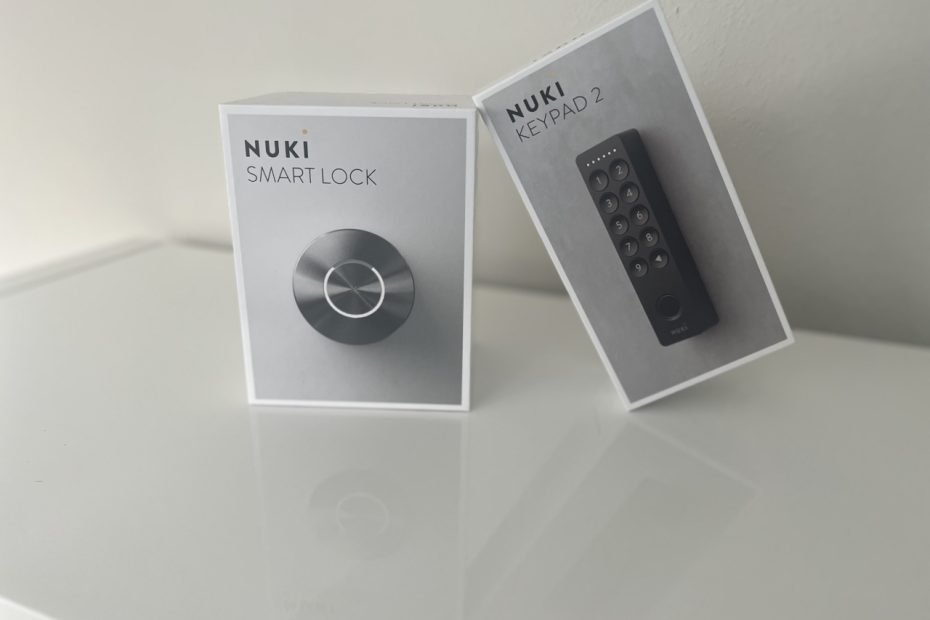

So, you’re smart lock curious. Maybe you’re tired of hiding keys under fake rocks (that fool absolutely no one), or you’re constantly wondering if you locked the door. Or maybe you just want your entryway to feel a little smarter without rewiring your home or taking a masterclass in Bluetooth troubleshooting.
Enter the Nuki Smart Lock with the Keypad 2. It’s a renter-friendly, minimal-tool setup that’s fast to install, easy to use, and comes with the best smart lock app I’ve ever used. And I’ve used plenty like August, Brinks, with August being the go for this style of Lock. Nuki holds its own, especially the app.
The setup works with your existing deadbolt, so there’s no need to drill, swap out locks, or upset your landlord. I installed it during a Florida summer heat wave (not recommended), and despite the sweat, it was still the easiest smart home install I’ve done. If you’re a renter, homeowner, or Airbnb host, this one’s worth a look.
I did run into one minor problem with the install too.
What You Get (and Why the Combo is Worth It)
I tested the Nuki Smart Lock 2 + Keypad 2 bundle (on Amazon) and highly recommend going for both pieces. While the lock is great on its own, the keypad adds real-world flexibility.
In the Box:
Smart Lock 2:
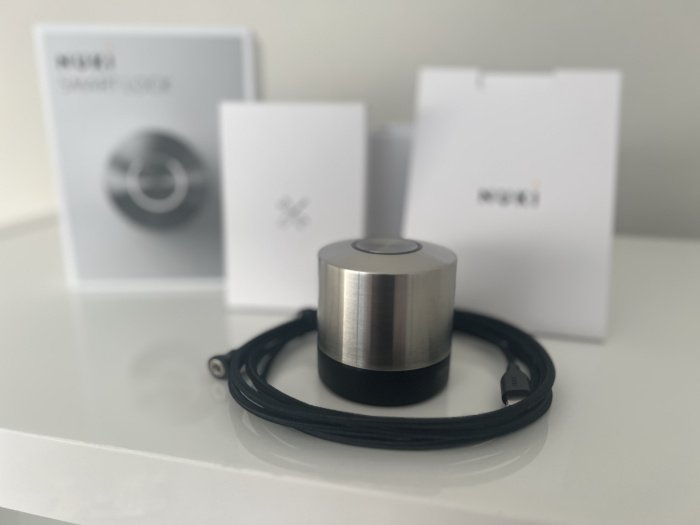
- The motorized lock itself (compact and solid)
- A braided USB-C charging cable (generously long)
- Pre-installed battery (arrived at 60%)
- Mounting plates for different deadbolts
- Setup QR card (not required)
Keypad 2:
- The keypad (preloaded with 4x AAA batteries)
- M3 adhesive backing (pre-applied)
- Optional screw mount (no screws included)
No tools required unless you opt for drilling a few holes for a more secure hold.
Installation: 5 Minutes and a Breeze
I’ve installed smart locks that took hours and a few deep breaths. This wasn’t one of them. Nuki took less than 10 minutes. The app guides everything, and even when I forgot to add the lock adapter during calibration, it handled it gracefully.
Step-by-Step:
1. Check Compatibility:
- Keep your existing exterior lock and bolt.
- Remove the interior thumb turn.
- Make sure the knob rotates freely with enough clearance.
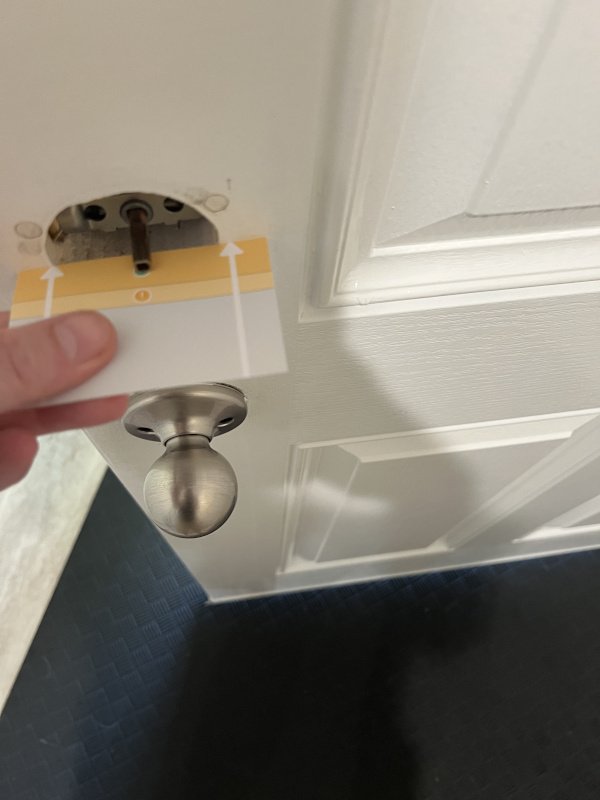
2. Remove the Thumb Turn:
- Quick unscrew to expose the metal spindle.
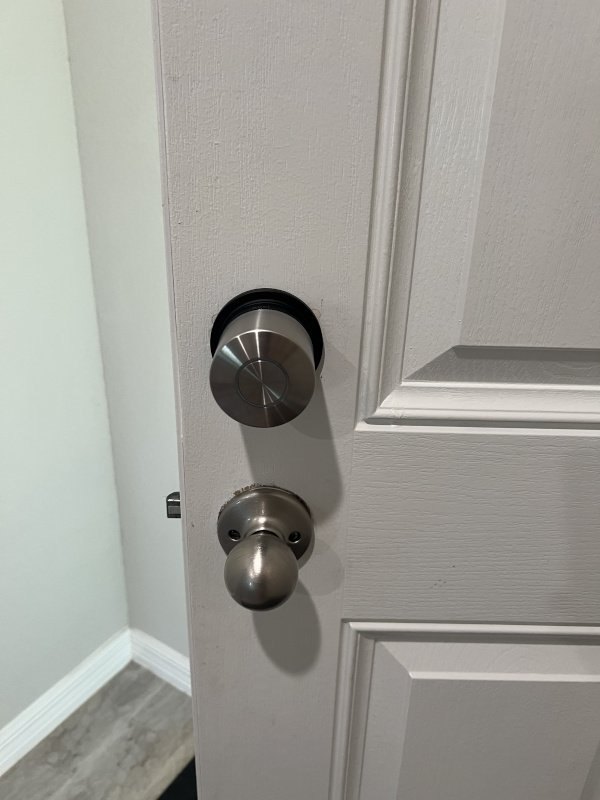
3. Mount the Lock:
- Use clamp plate to screw into the deadbolt.
- Align, press, calibrate via the app.
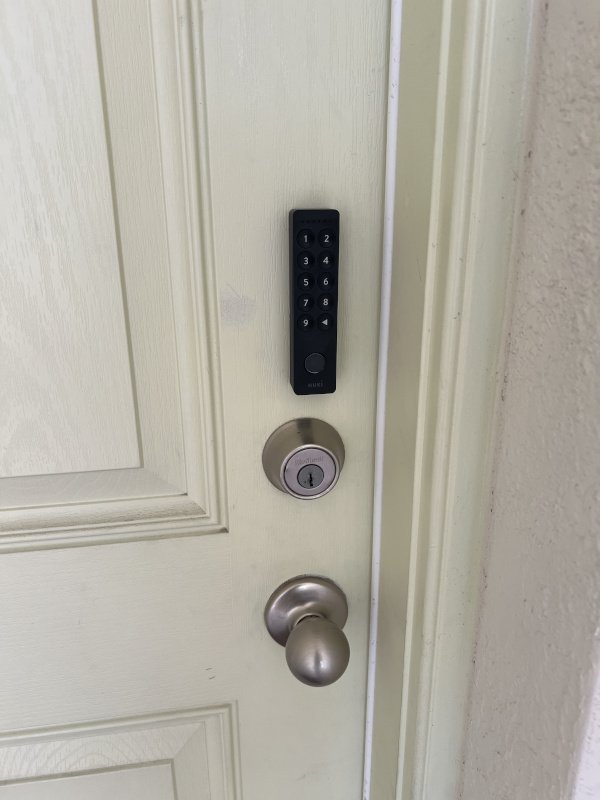
4. Mount the Keypad:
- Clean the surface, peel the backing, press into place.
- No screws needed, but included for permanence.
- Add it in the app, assign PINs.
Day-to-Day Use: Smart Without the Fuss
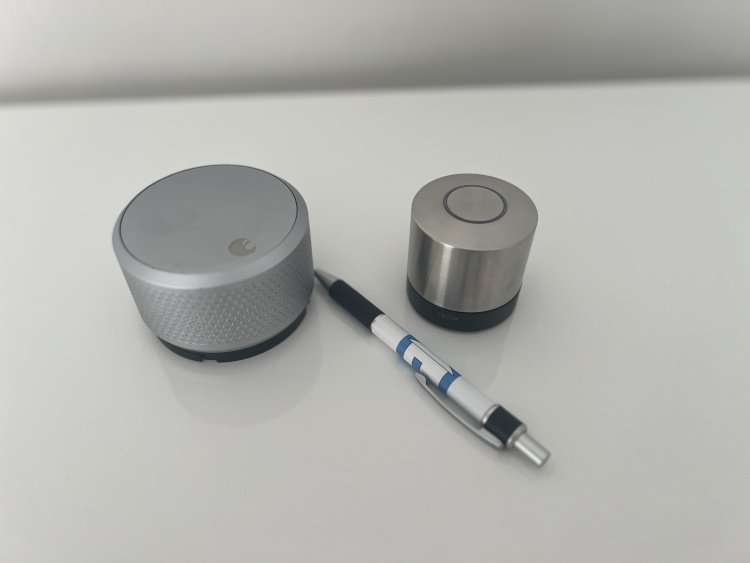
Nuki fades into the background in the best way. The lock is sleek (smaller than my old August or Brinks), the app is fast, and everything just works.
No batteries to swap—it’s rechargeable via USB-C. Pop it off, charge it, pop it back on. Even the cable feels premium. That’s a small thing, but it makes a difference, especially since most doors aren’t close to outlets.
The lock is quiet, responsive, and smooth. The lock is polished heavily and does pick up finger prints though. Expect to be cleaning it from time to time.
When I get home, it’s already thinking about unlocking. When I leave, it locks behind me. It doesn’t demand attention, it just works.
I even tested it with grocery bags in both hands, and the auto-unlock feature opened the door before I could even fumble for my phone. That’s the kind of convenience I’m after.
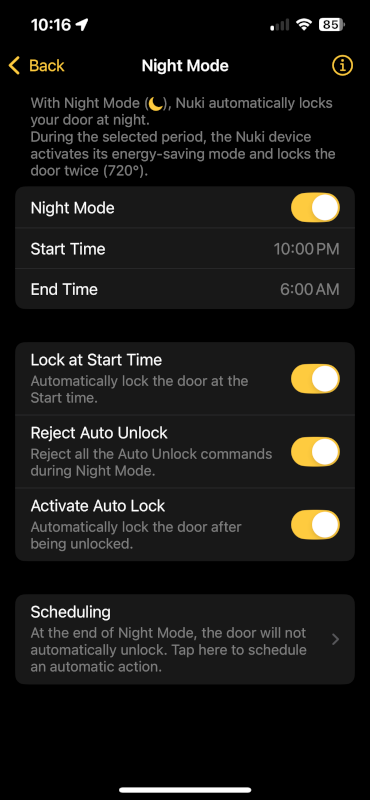
What really stands out in everyday use is how little I have to think about it. I’m not checking if it locked, or if the app synced. It just quietly keeps everything secure, and logs it for me if I ever want to review it later. This is exactly what I want from a smart home device: invisible when it works, and dependable when I need it.
The App: Where Nuki Really Wins
Nuki’s app is where it pulls ahead of every other smart lock I’ve tried:
- Auto-Unlock via geofencing + Bluetooth
- Auto-Lock after X minutes (mine is set to 5)
- Activity Logs with timestamps per user
- PIN and Fingerprint Access Management
- Lock Optimization to conserve battery
More features I’ve loved:
- Apple Watch notifications when I get near home
- iPhone widgets for one-tap access
- Guest PINs with time-limited access
- Manual override logging, even if someone uses the thumb turn
- Smart home integration with HomeKit and Alexa
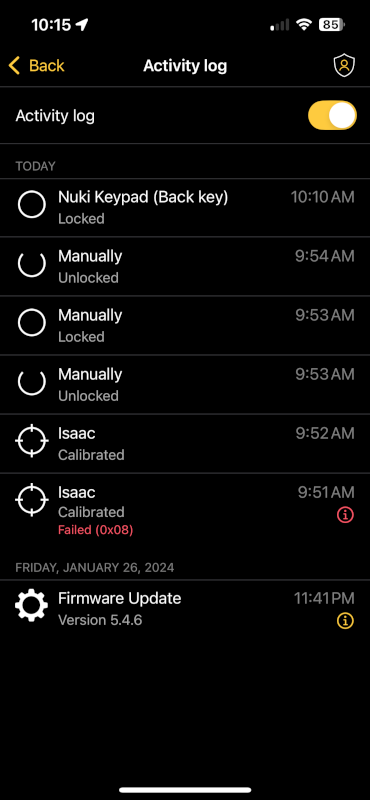
The app feels like it was designed by someone who actually uses smart locks. It’s not just a companion—it’s the control center. You can easily manage multiple users, see a full log of who entered and when, and tweak lock behavior for different scenarios (like setting different auto-lock times for weekdays vs weekends).
What’s especially impressive is that the app stays responsive and intuitive no matter how much you add to it. Whether you’re managing one lock or several (like for an Airbnb), the experience stays smooth.
Bottom line: the Nuki lock is good, but the app is what makes it great.
Nuki Premium unlocks additional controls like remote access, advanced logs, smart home integrations, and more—and it’s free until September 2025, possibly for life if you activate early.
Works Great with Siri, Alexa, and HomeKit
Nuki fully supports Matter! So connecting to the big smart home platforms is really simple. Pairing with HomeKit was as simple as scanning the QR code. I now get a tap on my Apple Watch asking if I want to unlock when I get home. Feels like magic.
Alexa works just as well. Saying “Alexa, is the door locked?” from bed has become a nightly ritual. There’s also full widget support for Android and iOS.
The Keypad: Optional but Essential
You can use your phone every time. But the keypad is a lifesaver:
- Forgot your phone? Use your PIN.
- Let guests in without handing out keys.
- Set time-restricted access codes.
Setup is easy. PINs are 6-digit (and oddly, no 0). The fingerprint sensor works great for adults but struggled with my 5-year-old daughter’s tiny hands. She uses her PIN instead. No issues there.
What surprised me most is how much I rely on it now. The keypad is my go-to when I take out the trash or go on a walk—no phone needed. It’s quick, reliable, and secure. And when I hosted family for the weekend, I just made each person a temporary PIN. They didn’t need the app or a key, just the code. Simple.
And while the adhesive is holding up well so far, there’s also an option to screw it in for more permanent installations. It’s great that Nuki designed for both flexibility and long-term durability.
Pros & Cons
✅ Pros
- Renter-friendly installation
- Rechargeable (no batteries!)
- Best-in-class app experience
- Minimal, stylish hardware
- Widget, HomeKit, and smartwatch support
- Excellent guest and family access control
- Premium-quality USB-C cable included
- Smooth, quiet motor operation
- Optional keypad adds major flexibility
- Responsive and helpful customer support
- Activity logging and audit trail
⚠️ Cons
- Fingerprint sensor struggles with small kids (same challenge with the Brinks finger print reader)
- No exterior key slot unless you keep your physical key
- Keypad adhesive may not last on rough surfaces
- Slightly bulky interior lock unit
- PIN pad lacks a ‘0’ key (takes getting used to)
- Premium features will eventually require a subscription, unless you sign up before September
A Glitch, Handled Like Pros
One day in, the lock stopped working. My daughter tried to unlock the door and the motor just spun.
Turns out: a small plastic gear inside had snapped. Probably from running calibration twice.
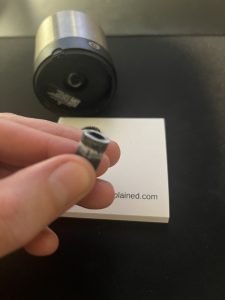
I emailed Nuki support with a bunch of details like the part, problem, and a few images. Within a day, I had a tracking number for a new gear. Zero hassle. Not ideal, but great customer service and no hassle.
Frequently Asked Questions
Yes—it works from the outside like normal.
You’ll need your key, but the app gives you battery alerts in advance.
Only for remote access. Otherwise, it uses Bluetooth.
Not really. My 5-year-old had better luck with her PIN.
Final Verdict: Should You Buy It?
If you love smart home tech but hate tools, drilling, or complicated setup, this is the lock to get.
It’s smart, renter-friendly, beautiful, and backed by software that actually feels modern. I’ve tested over a dozen smart locks. This is the best combo of hardware and app polish I’ve seen.
Buy it before September and Nuki Premium is free, possibly for life. That unlocks all the features and futureproofs your setup.
👉 Check the Nuki Smart Lock + Keypad + Fingerprint Combo on Amazon