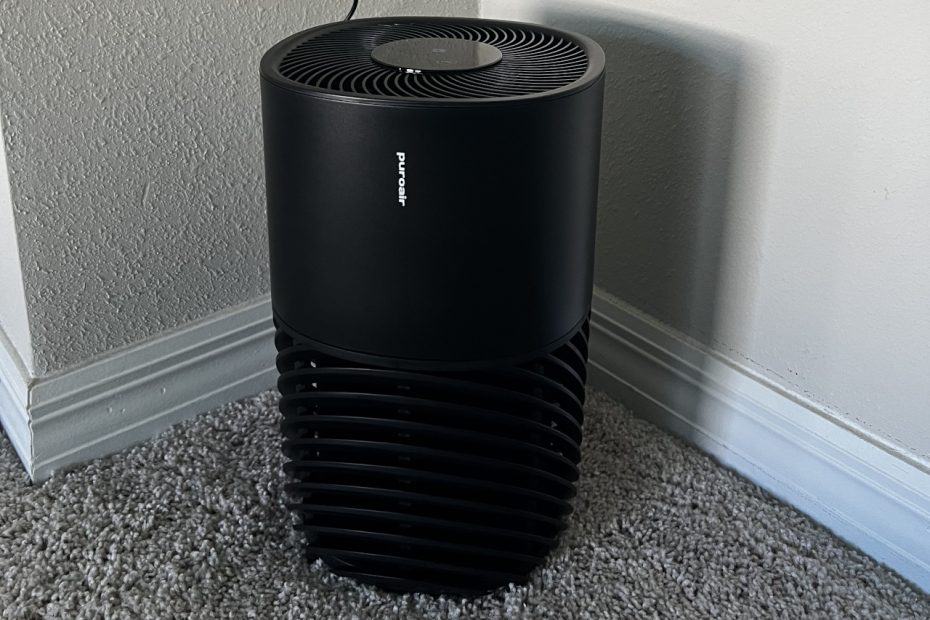

Florida has plenty of sunshine, but allergy season is another story. Pollen can make spending time indoors feel like a necessity. During spring, I rely on Zyrtec to keep my allergies manageable. Opening windows isn’t always an option during our hot, humid summers.
That’s why I wanted to try the PuroAir 130i. It’s a smart air purifier designed to help clean indoor air. I installed it in my master bedroom for everyday testing. Its app, scheduling features, and smart home support caught my attention.
I’m also using an Airthings Wave Enhance to monitor air quality. It measures carbon dioxide (CO₂) and volatile organic compounds (VOCs). I’ll share those readings to see what changes during testing. Let’s see how well the PuroAir 130i fits into everyday life.
Meet the PuroAir 130i Smart Air Purifier
PuroAir sells air purifiers and replacement filters for different room sizes. Its products combine traditional filtration with modern smart features.
The PuroAir 130i uses a three-layer filter system. A pre-filter catches larger debris, like hair and dust. A HEPA filter captures fine particles, including pollen. An activated carbon layer helps reduce certain odors and gases. Results depend on the pollutant and filter conditions.
The 130i also adds Wi-Fi controls and voice assistant support. You can manage settings through the PuroAir mobile app. It supports Amazon Alexa and Google Home. PuroAir rates the purifier for rooms up to 750 square feet.
I wanted to see how those features worked in practice. I’d also monitor my bedroom’s air quality during testing. That should help put the purifier’s performance into context.
You can learn more on the official PuroAir website. You can also check the PuroAir 130i on Amazon.
Unboxing the PuroAir 130i
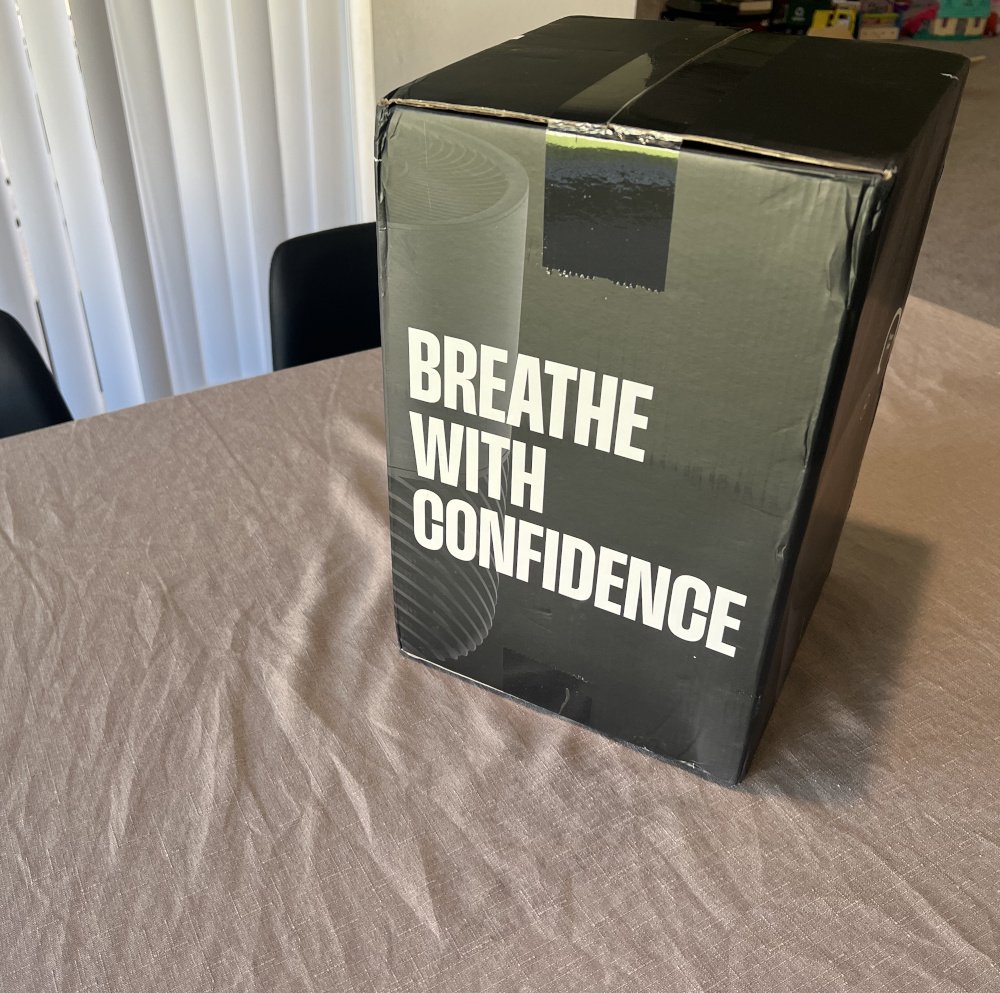
The PuroAir 130i arrives in simple, straightforward packaging. The box keeps the focus on the purifier itself. There’s little assembly required before you can get started.
Once unpacked, the purifier has a clean, understated design. It looks right at home in a bedroom or office. Its controls sit conveniently on top of the unit.
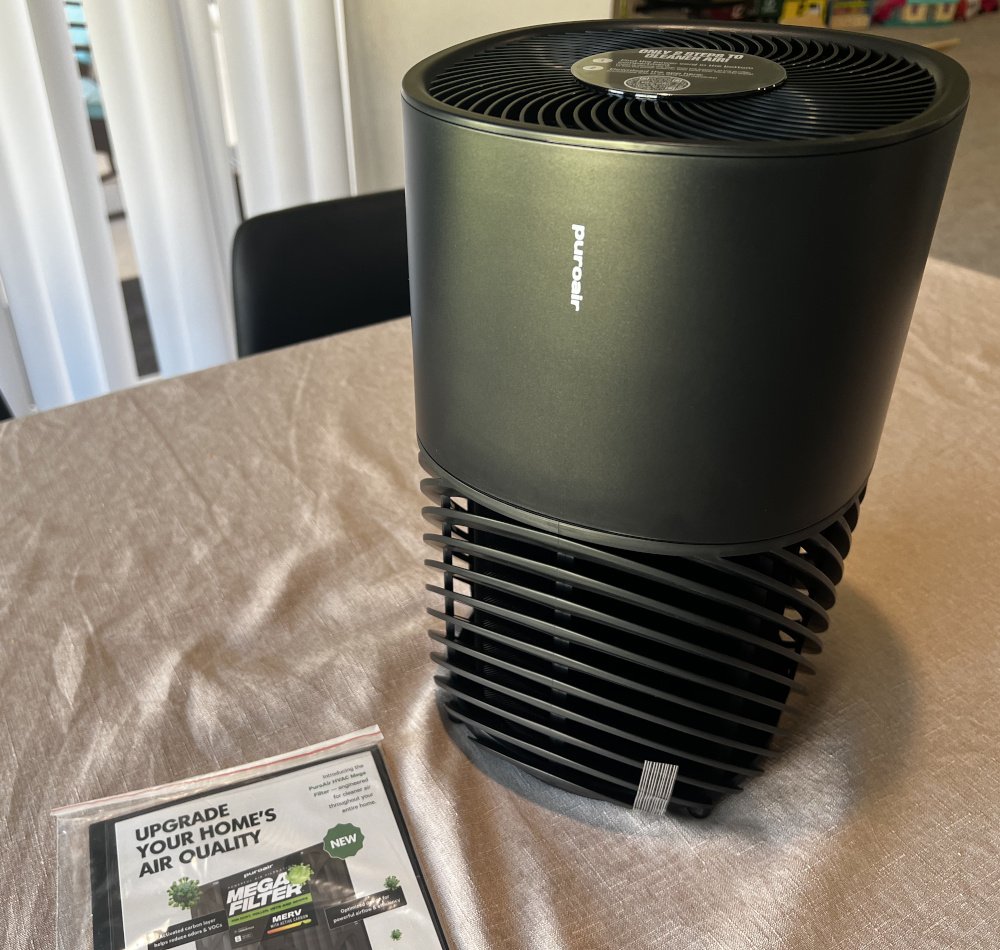
The back has a simple, uncluttered design. There’s no separate remote or collection of accessories to manage.
The underside is worth checking before plugging in the purifier. The filter compartment also holds the power supply during shipping. Remove the power supply before connecting the unit.
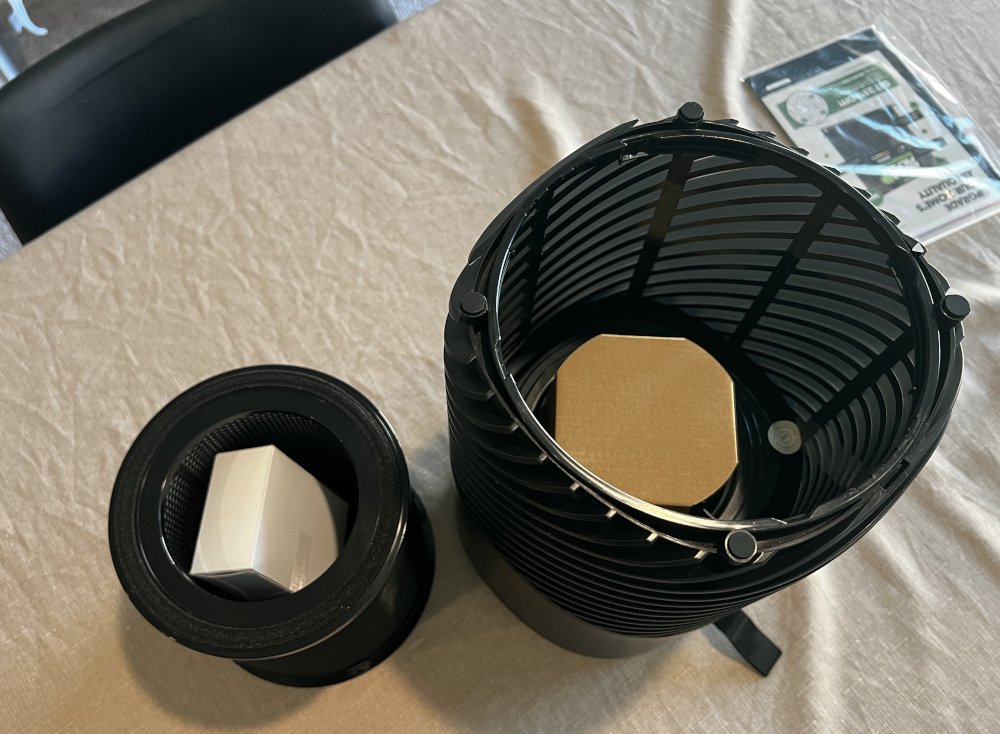
The packaging keeps the initial setup straightforward. Once you’ve checked the filter and found the power supply, you’re ready to begin.
Setting Up the PuroAir 130i
Setup is simple, with very little assembly required. First, remove the power supply from the filter compartment. Make sure the filter is seated correctly before closing everything.
Next, place the purifier where you want to use it. I chose my master bedroom for everyday testing. Leave enough room around the unit for proper airflow.
Plug in the power supply and turn on the purifier. The touchscreen lights up, and a Wi-Fi icon starts blinking. That means the purifier is waiting for its initial connection.
You’ll need the PuroAir app to finish setup. Follow the app’s instructions to connect the purifier to Wi-Fi. Once connected, you can control the purifier from your phone.
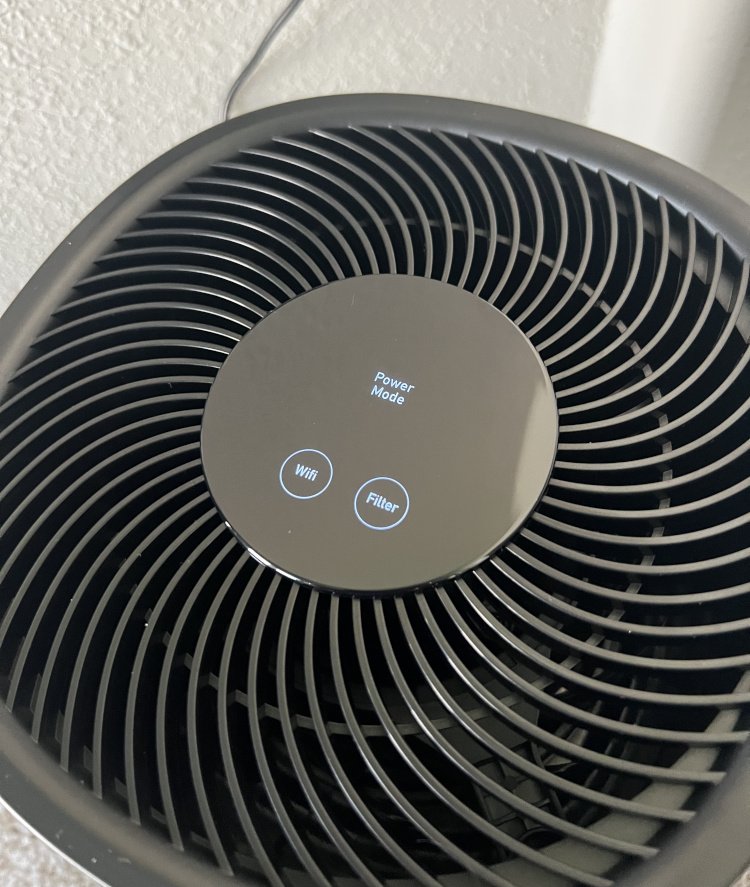
The initial setup is straightforward once you find the power supply. Next, let’s look at the physical controls and design.
Design and Physical Controls
The PuroAir 130i keeps its physical controls simple. A touchscreen sits right on top of the purifier. You can power it on and change modes directly.
The touchscreen is handy when your phone isn’t nearby. It gives you quick access to basic adjustments. More detailed controls and scheduling are available through the app.
Sleep Mode Dims the Display
Sleep Mode dims the touchscreen by roughly 80 percent. That makes the display less distracting in a dark bedroom. I appreciate this detail for overnight use.
Bright displays can be annoying when you’re trying to sleep. The dimmer screen helps keep the bedroom more comfortable. However, the display still emits a noticeable amount of light at night.
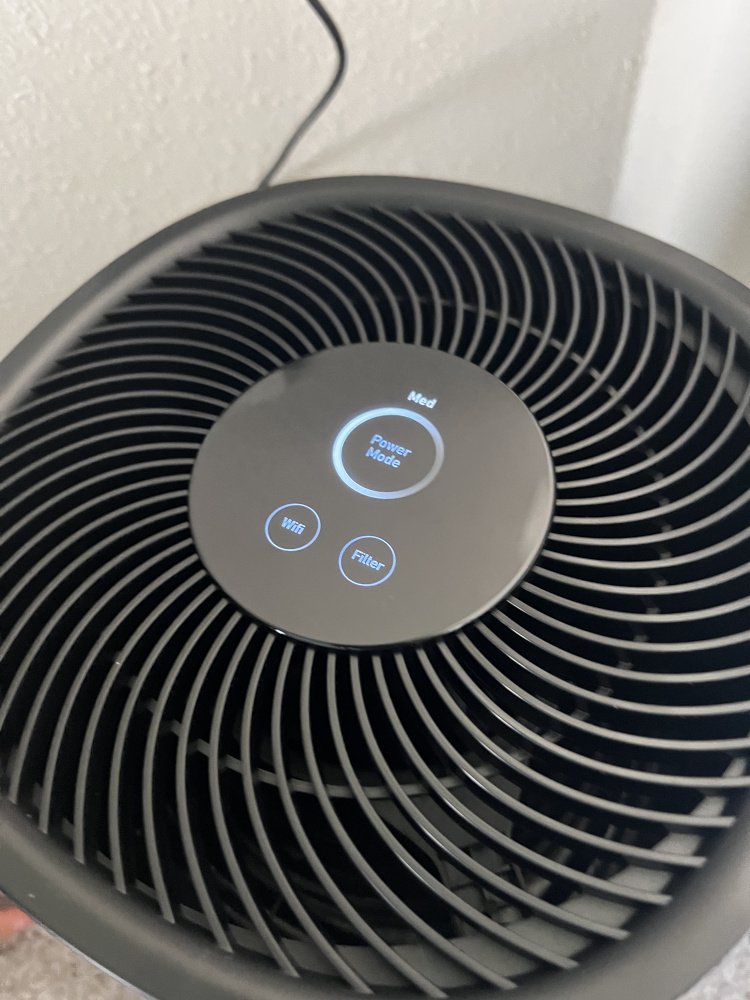
A Simple, Practical Design
The purifier has a straightforward design without unnecessary controls. Its power supply fits inside the filter compartment during shipping. Remember to remove it before plugging in the unit.
Overall, the physical controls are easy to understand. The touchscreen handles quick adjustments, while the app adds flexibility.
The PuroAir App Is the Real Highlight
The PuroAir app is one of my favorite features. It offers convenient controls and useful scheduling options. The scheduling setup is especially well designed.
Easy Controls From Your Phone
Once connected to Wi-Fi, the purifier appears in the app. You can change its operating mode without touching the unit. That’s handy when the purifier sits across the room.
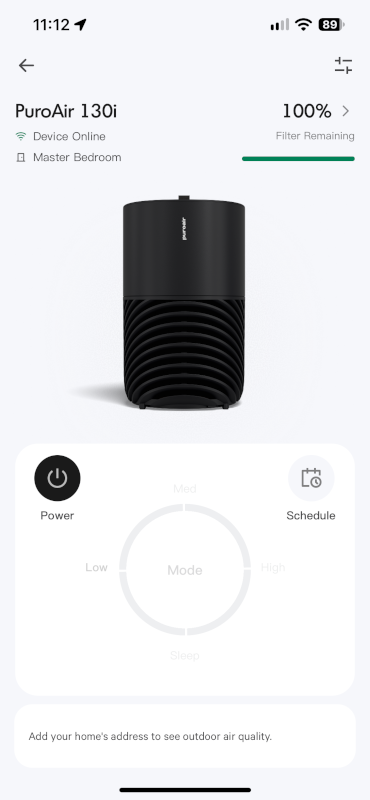
Smart Scheduling That Does the Thinking for You
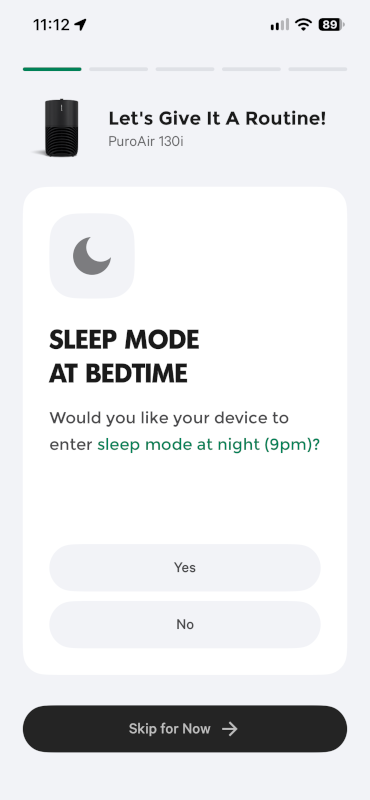
The scheduling setup is my favorite part of the app. Helpful suggestions make building a daily schedule quick and easy. Available modes include Sleep Mode, Daytime Mode, and Cooking Mode.
You can customize the schedule around your daily routine. For example, choose quieter operation while sleeping. You can also schedule different settings during busier hours. The purifier then switches modes at your chosen times.
That means fewer manual adjustments throughout the day. You can set up a routine and let the purifier follow it. I like that approach better than constant manual control.
Google Home and Alexa Support
The PuroAir 130i supports Amazon Alexa and Google Home. You can add it to a compatible smart home setup. Apple HomeKit support isn’t available at the time of writing.
That limitation is worth knowing before you buy. Apple Home users can still control the purifier through its app.
Overall, scheduling makes the app especially useful. You can automate daily adjustments instead of changing settings manually.
PuroAir 130i Replacement Filters and Maintenance
Air purifiers need regular filter replacements to keep working effectively. The PuroAir 130i uses a removable filter assembly. Replacement costs are worth considering before making a purchase.
How Much Do Replacement Filters Cost?
Replacement filters cost around $35 each at the time of writing. Your long-term costs depend on how often you replace them. Actual filter life can vary with use and air quality.
You can order replacements directly from PuroAir. They’re also available through Amazon.
Can You Clean and Reuse the Filter?
The filter assembly has a substantial plastic frame. At first glance, it might look washable. However, the filter media inside captures the airborne particles.
Don’t wash the filter unless PuroAir explicitly says it’s washable. Water can damage some filter media or affect performance. Check the instructions for this specific filter before cleaning it.
You can still remove dust from the purifier’s exterior. Keep its air intake and outlet clear of obstructions. Good airflow helps the purifier operate as intended.
How Often Should You Replace the Filter?
Follow PuroAir’s recommended replacement schedule for the 130i. Filter life can vary with usage and indoor air quality. Dusty environments may require more frequent replacements.
Be sure to check replacement timing in the manufacturer’s instructions. Filter costs are part of the long-term ownership expense.
Testing the PuroAir 130i in My Bedroom
Does an air purifier actually improve indoor air quality? I wanted to investigate using real measurements. Fortunately, I already monitor my bedroom with an Airthings Wave Enhance.
Monitoring Air Quality With Airthings
The Airthings Wave Enhance tracks carbon dioxide (CO₂) and total volatile organic compounds (VOCs). CO₂ readings can help indicate room ventilation. VOC readings can reflect certain gases from household products and activities.
I’ll compare readings while the purifier runs and at other times. I’ll also note activities that might affect the measurements. Those comparisons may reveal useful patterns during testing.
There are some important limitations to consider. The PuroAir 130i isn’t designed to remove CO₂. Its activated carbon layer may reduce certain VOCs. Results depend on the specific gases and surrounding conditions.
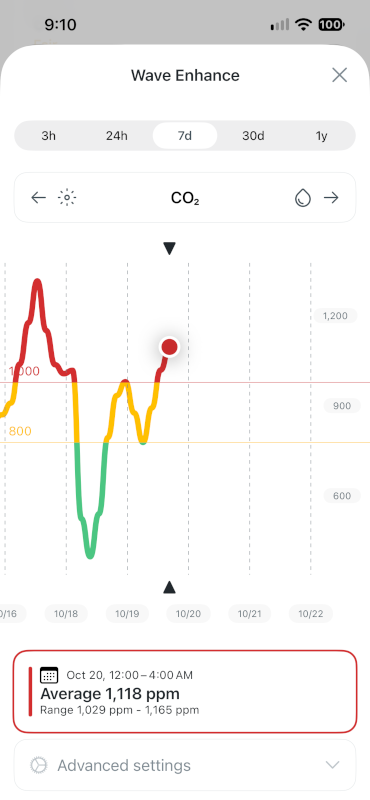
Ventilation, cleaning, and cooking can also affect readings. CO₂ and VOC measurements don’t capture every aspect of air quality. They also can’t directly measure how much pollen the purifier removes.
Frequently Asked Questions
The PuroAir 130i is rated for rooms up to 750 square feet. Actual cleaning performance depends on room conditions and airflow.
Yes, the PuroAir 130i supports Amazon Alexa and Google Home. Apple HomeKit support isn’t currently available.
No, the PuroAir 130i doesn’t include a physical remote. You can adjust settings using its top touchscreen. The mobile app also provides remote control and scheduling.
Possibly, depending on the gases and filter conditions. Its activated carbon layer targets certain gases and odors. My Airthings readings may help show changes in my bedroom.
Final Verdict: Is the PuroAir 130i Worth It?
The PuroAir 130i makes a promising first impression. Its scheduling features stand out most during everyday use. Setting up different modes around my routine is convenient. The dimmed display also makes Sleep Mode bedroom-friendly.
The app gives the purifier much of its appeal. Alexa and Google Home support add flexibility. However, Apple HomeKit users will need another control option. Replacement filters are another ongoing cost to consider.
I’m also interested in how it performs in my bedroom. Florida’s pollen season gives me a practical reason to test it. My Airthings readings will provide some useful context. However, CO₂ and VOC measurements can’t tell the whole story.
For now, the PuroAir 130i looks promising as a smart air purifier. I especially like its scheduling and straightforward controls. I’ll reserve judgment on its real-world air cleaning results until testing progresses.