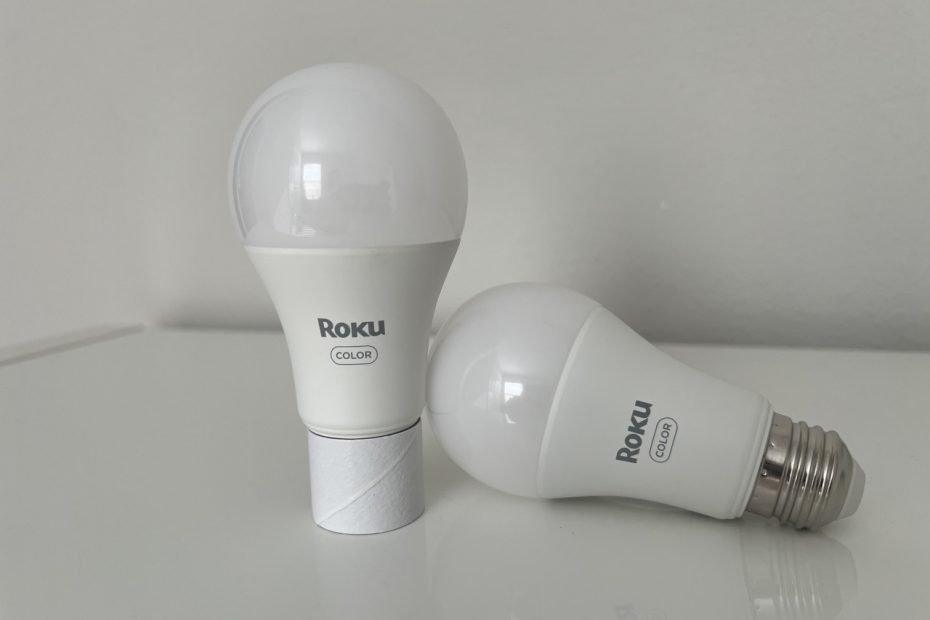

Setting up smart bulbs shouldn’t make you question your life choices.
And yet, I’ve spent more time than I care to admit staring at a blinking light that refused to connect. The good news? Roku Smart Bulbs are nothing like that. Roku—known for making streaming dead simple—has somehow brought that same energy to smart home lighting. Setup is quick, intuitive, and (dare I say?) kind of fun.
I’ve tested plenty of smart bulbs, from Philips Hue to Nanoleaf to LifeX. Roku’s are among the easiest I’ve ever set up. Even better? They connect directly to Wi-Fi—no hub needed. That’s usually a red flag for setup headaches, but not here.
Expect to go from box to fully working bulb in under 10 minutes. And once you’re in the app, you’ll find thoughtful color presets like “Night Time,” which I’ve been using in a bedroom lamp. It’s simple, calming, and makes you feel like you’ve got your life together.
Roku’s smart bulbs are part of a growing ecosystem, too—think cameras, plugs, and of course, streaming sticks. Curious how it all fits together? Here’s a complete guide to Roku’s smart home lineup.
Let’s walk through what you’ll need, what you’re getting, and how to get your Roku Smart Bulbs glowing without losing your cool.
What You’ll Need Before You Start
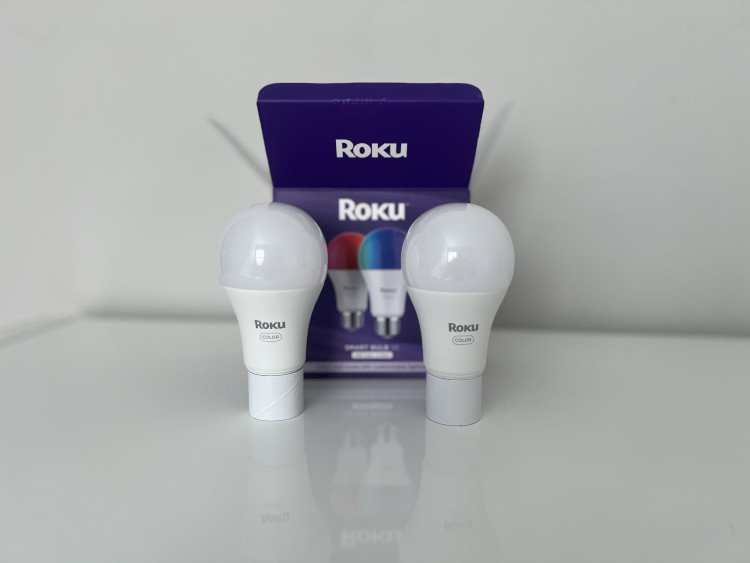
Before you rip open the box and start unscrewing light bulbs, here’s what you’ll want to have ready:
- A 2.4GHz Wi-Fi connection
Roku smart bulbs don’t support 5GHz Wi-Fi, which is pretty standard for smart home devices. If your router broadcasts both, make sure you’re connecting to the 2.4GHz band. - The Roku Smart Home app
Available for iOS and Android. Download it ahead of time to save a minute or two. Learn more here. - A Roku account
If you’ve ever used a Roku streaming stick or TV, you likely already have one. If not, it’s a quick sign-up. - A lamp or socket to test in
Sounds obvious, but if you’re installing multiple bulbs, it’s nice to start with just one in an easy-to-reach spot (like a bedside lamp) before going full ceiling fixture. - A pinch of patience for software updates
Setup is smooth, but there was a small hiccup post-installation: some firmware updates. Nothing terrible, just expect a few extra minutes after the bulb connects.
That’s it. No bridges, hubs, or secret handshake required.
Setup Experience
Setup was, frankly, a breeze — and that’s not something I usually say about Wi-Fi smart bulbs.
Roku’s bulb beat out some big names here. I’ve set up Philips Hue (which needs a hub), LIFX (which can be flaky), and Nanoleaf (quirky at best). Roku? It just worked.
Here’s how it went:
- Screw in the bulb
The bulb powered on instantly and started blinking, ready to pair. - Open the Roku Smart Home app
The app immediately detected the bulb and walked me through the setup. The instructions were clear, and the pairing process only took about 30 seconds. - Wi-Fi pairing
It connected to my 2.4GHz network on the first try — no drama, no timeouts. - Alexa integration
This part genuinely impressed me. Adding it to Alexa was literally one tap. No digging through menus, no weird account linking flow. It just showed up in the Alexa app, ready to go. - Software updates
This was the only slightly annoying step. After the bulb was added, it needed a firmware update. It wasn’t broken or buggy before that, just a bit of a pause before full functionality.
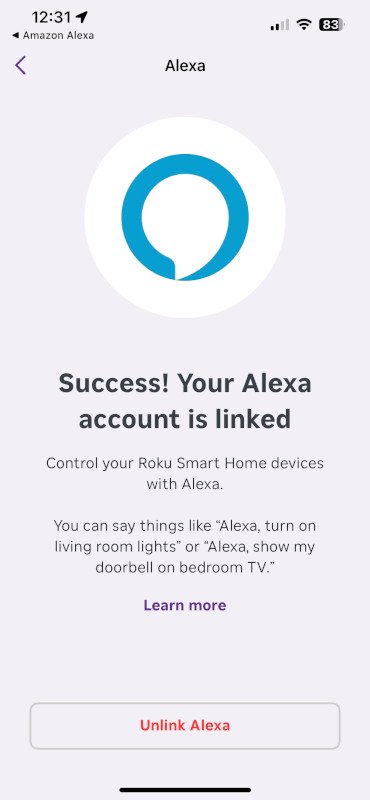
All in all, it’s one of the best smart bulb setups I’ve experienced. No QR codes, no failed pairing attempts, no swearing.
Everyday Use & Lighting Options
Once set up, the Roku Smart Bulb is… well, just pleasant to live with.
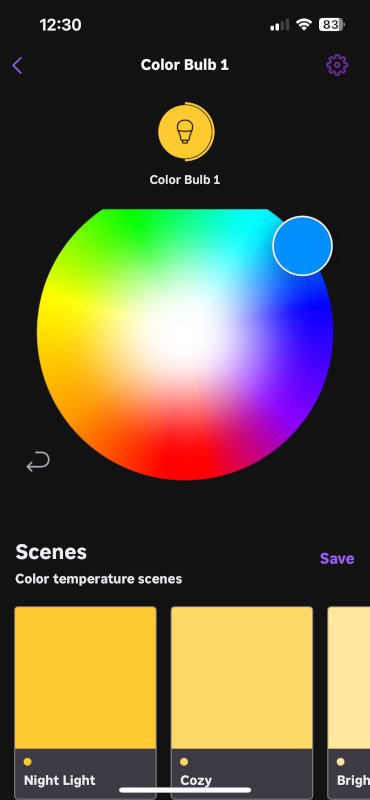
I’ve got one in a bedroom lamp, and it fits right into the evening routine. The default color options in the Roku app are thoughtfully chosen — not just a rainbow of chaos like some brands throw at you. The “Night Time” preset, in particular, has become my go-to. It’s a soft, warm tone that makes winding down feel cozy without feeling dim or yellowed-out.
Brightness is solid — plenty for a reading lamp, not overkill like some LIFX bulbs that feel like staring into the sun. Color accuracy is decent across the board. You won’t be using this for mood lighting in a YouTube studio, but for home use? It totally works.
The app UI is simple. It lets you:
- Choose from color presets or set your own
- Adjust brightness
- Set schedules (great for turning the light on at sunset or off at bedtime)
- Group bulbs if you’ve got more than one
One small nit: the transition between colors or brightness levels is instant, not gradual. It’s not jarring, but if you’re used to fancier fade-ins from higher-end bulbs, you’ll notice the difference. That said, I’ll take responsiveness and simplicity over “just missed the Wi-Fi” any day.
Frequently Asked Questions
Nope! It’s a Wi-Fi bulb, so it connects directly to your router — no hub, bridge, or extra gear needed.
Yes. I tested Alexa specifically, and setup was literally one tap in the app. Voice commands worked instantly.
Unfortunately, no HomeKit support (yet). If you’re deep in the Apple ecosystem, this might be a limitation.
Surprisingly good — especially for the price. Whites get warm enough for nighttime use, and the color presets actually feel usable, not just gimmicky.
You’ll need internet for remote control or voice assistants. If your Wi-Fi is down, you can still use the wall switch, but app features won’t work until it’s back online.
Final Thoughts
Roku’s Smart Bulb surprised me in the best way. Setup was faster and smoother than just about any other smart bulb I’ve tried — including big names like Philips Hue and LIFX — and that’s saying something for a Wi-Fi bulb.
The app feels simple but thoughtful. I love that there are preset colors that actually make sense (looking at you, “Night Time”), and Alexa integration was basically instant. While the post-install firmware updates were a little annoying, they weren’t deal-breakers.
This bulb isn’t trying to be the flashiest or most high-end. It’s aiming for something better: easy, affordable smart lighting that works with the stuff you already have — and it mostly nails it.
If you’re just getting into smart home gear or want a budget-friendly light that won’t make you fight with your phone for 20 minutes, Roku’s smart bulb is honestly a great place to start. You can grab one here, and if you’re curious about how Roku’s streaming gear fits into the picture, this article on the Roku Streaming Stick+ is a solid next read.