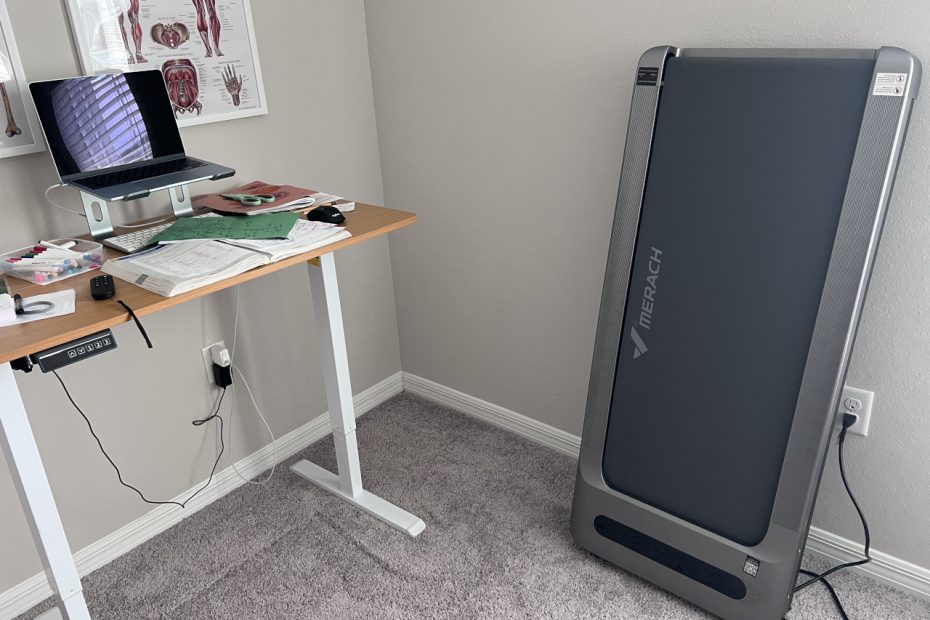

I sit way too much, and my body knows it. I’m a software engineer who types for a living. A standing desk became my first line of defense. Spoiler: standing alone wasn’t the superhero fix I hoped for.
Standing all day gets old fast. I wanted more movement, not just less sitting. Walking outside sounds nice, until you check the heat. Florida summers turn outdoor walks into a sauna.
I needed a way to exercise without leaving my desk. That idea led me to the W60 Plus Incline Walking Pad. Merach built it as an office walking pad for desk workers. After taking it for a spin, pun intended, here’s my take.
Meet Merach
Merach started in 2018 in Hangzhou, China. In fitness-tech years, that’s basically forever. They build home fitness gear, from rowers to walking pads. Check out their full site here.
Their lineup covers treadmills, bikes, rowers, and recovery tools. Merach’s mission centers on making home workouts fun. That focus shows up clearly in the W60 Plus. Basically, they want your living room to feel like a gym.
Merach’s app supports a long list of equipment. Some of it runs much faster than this pad. Keep that in mind once you start picking workouts. More on that later.
The W60 Plus, by the Numbers
Before going further, here’s what this pad can do. Quick numbers help set expectations early. Here’s what stood out to me.
- Weight capacity: 400 lbs
- Top speed: 3.5 mph
- Auto incline: up to 12%
- Motor: 1.25 CHP, rated by Merach for up to 15,000 hours
- Frame: heavy-duty 70 lb steel structure
- Deck size: 16.5 by 41.3 inches, wider than most
- Noise level: 53.6 dB average
- Connectivity: Bluetooth and the Merach app
- Health sync: Apple Health and Apple Watch
These numbers might sound modest at first glance. For a desk walking pad, they’re plenty. Trust me, the app makes up for it. More on that soon.
Check out more detail on Amazon (link)
Unboxing the W60 Plus
First Impressions
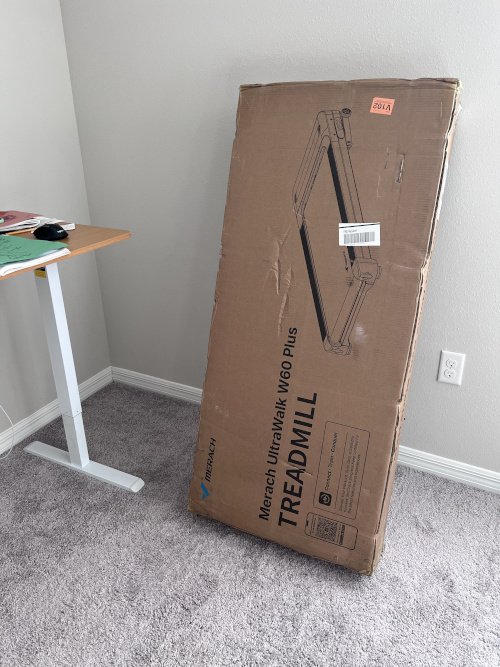
The box is heavy and big. It weighs over 44 pounds. It stretches past 50 inches long. Honestly, this box needs its own gym membership. I grabbed a measuring tape for proof. Over 50 inches long settles any doubt. It barely fit through my hallway.
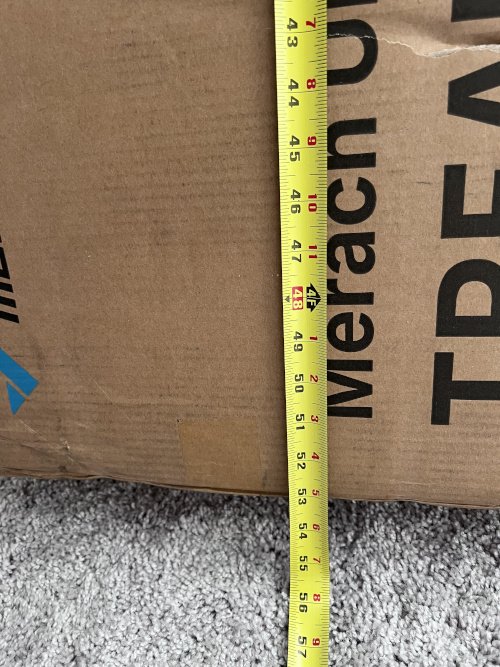
Lift with your legs, not your back!
Packaging
Merach packed this one well. Metal inserts on the bottom protect it from dents during shipping. Watch out for those inserts. They have sharp edges.
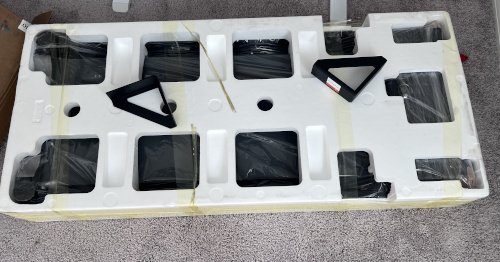
Foam padding lines the inside of the box. Tape holds everything tight and in place. Nothing shifted around during shipping.
Here’s everything that came in the box:
- Walking pad
- Remote control with batteries already inside
- Allen wrench
- Wheels and mounting hardware
- Setup manual
Every part had its own spot inside the box. Nothing felt like an afterthought. Merach clearly thought this through.
Setup
Almost No Assembly
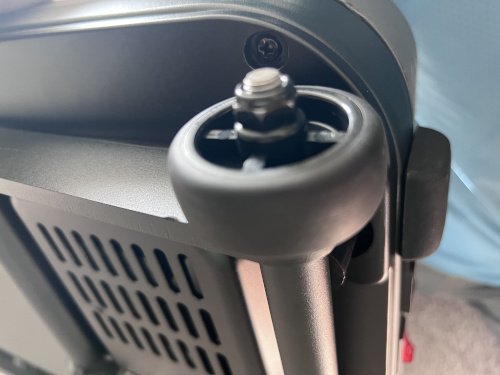
Setup did not take long, thankfully. Only two wheels needed installing. Both attach for the pad’s extension feature. Easiest “assembly required” I’ve seen in years.
💡 Pro Tip: Don’t overtighten the wheel bolts. Too tight and the wheels won’t turn. You need them loose enough to roll the pad into place.
After the wheels go on, it feels sturdy. The wheels make repositioning the pad easy. It handled my 210-pound, 6-foot-3 frame with no problem. I’m calling that a win.
Power and Tension
The power switch sits on the back. An Allen wrench comes included too. Use it to adjust tension on the tread roller. Nice touch for tinkerers like me.
Remote and First Startup
The remote ships with batteries already inside. No extra trip to the store needed. Small win, but I’ll take it.
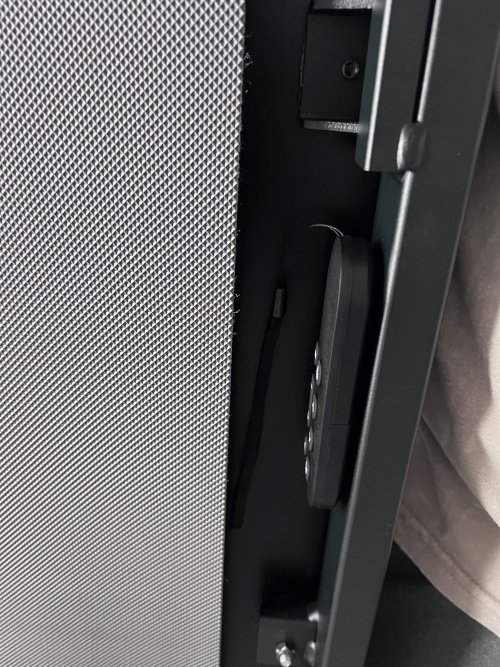
The remote is magnetic on the back. Stick it onto the walking pad for storage. No more hunting for a lost remote. My space-saving heart is happy.
After I powered it on, it asked me to connect. It wanted to pair with the walking pad app. That’s where the real setup begins. And honestly, that’s where the fun starts.
Running It with Just the Remote
You can run the pad with just the remote. It took me a minute to get the hang of it. Think of it like cracking a fun little code. A few modes come preloaded, ready to go.
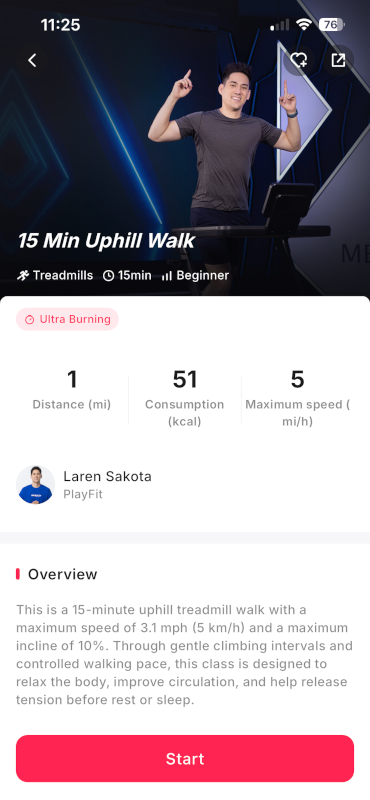
One example sets a 10% incline for 15 minutes. Perfect for an easy stroll while you type. Just pick workouts built for walking pads.
⚠️ Heads Up: Merach makes treadmills that go way faster than this pad. Some app workouts assume those speeds. Stick to walking-pad workouts for the best fit. No marathons here, just steady steps.
Starting a Workout
Here’s how I get things moving:
- Power on the pad first.
- Pick a built-in mode, or jump straight to freeform.
- Hold down the “Play” button to start.
A quick tap won’t cut it. Give that button a solid hold. Once you get the rhythm, it’s second nature.
Once it’s running, the remote really shines. Pause it, change elevation, or bump up the speed. Toggling the sound and light off is a nice bonus too.
The Merach App
The app is where things get interesting. I highly recommend downloading it. Setup takes just a few minutes. Create an account, connect over Bluetooth, and you’re moving.
I used Google sign-in to skip a step. Pairing the pad over Bluetooth was painless. Within minutes, I was ready to walk.
💡 Pro Tip: Use Google or Apple sign-in if you can. It skips typing out a whole new password.
Find it on the App Store and Google Play.
Building Your Profile
The app builds a profile just for you. It asks for your weight, height, and age. Then it hands you custom workouts to try.
Controlling the Pad From Your Phone
You can start the pad straight from the app. Adjust incline and speed right from your screen. No need to grab the remote at all.
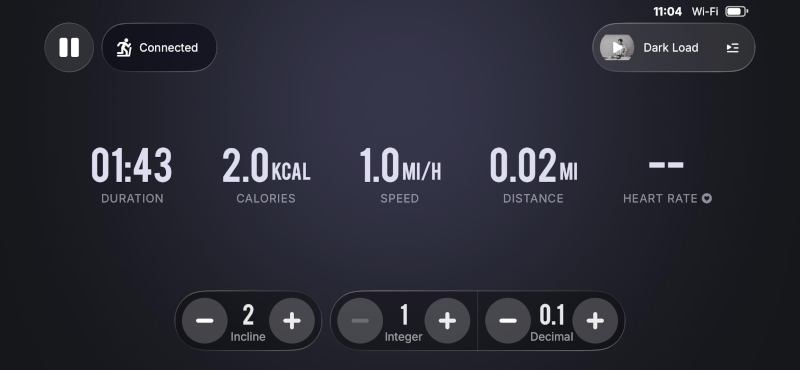
A lock screen widget shows live stats too. Speed, time, and progress sit right there. I love glancing down mid-workout without unlocking my phone.
Apple Health and Apple Watch Integration
My favorite feature lives right here. The app connects straight to Apple Health. Every walk logs automatically, no extra steps. I barely have to think about it.
Apple Watch users get even more. Pair your Watch to share stats both ways. Your heart rate even shows up on the pad’s display. That little touch impressed me.
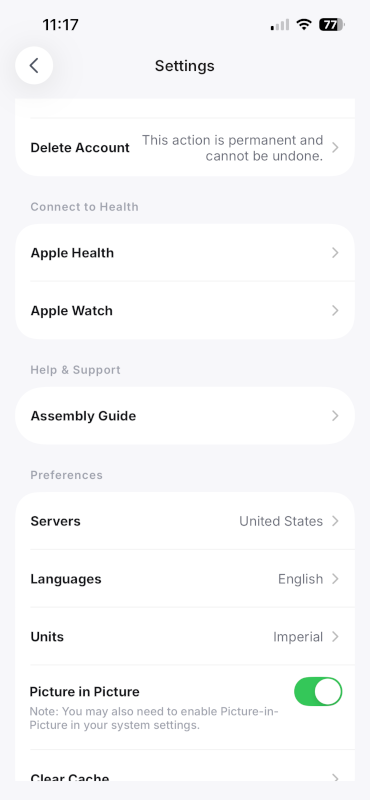
💡 Pro Tip: Already wear an Apple Watch during workouts? Pair it first. Watching your heart rate on the pad feels like a superpower.
Easy Cleanup After Every Workout
Finishing a workout in the app is smooth. The pad powers down fast afterward. Incline drops back to zero automatically. No storing it at a weird angle.
I already log HIIT and racquetball in Apple Health. Adding walking pad data just made sense. Honestly, this might be my favorite benefit yet.
How It Feels to Walk On
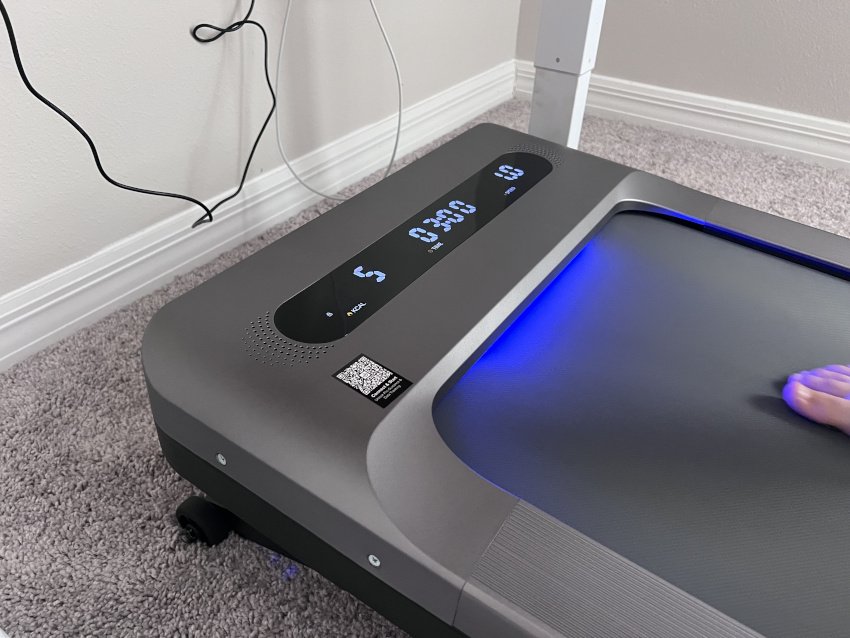
Walking on this pad feels solid right away. It supports up to 400 lbs without flexing. Top speed maxes out at 3.5 mph. For a desk pad, that’s a confident number.
Realistically, I never get close to that speed. Typing and walking fast just don’t mix. Most of my sessions sit around 1 to 2 mph. That pace still feels active and useful.
I’m not racing anyone at my desk. Slow and steady wins the work-from-home game. Plenty fast for stepping while you type.
Noise Levels
Merach rates this pad at 53.6 dB on average. That number matches what I noticed daily. Around 1.5 mph, it’s whisper quiet. The motor barely registers at all.
Most of the sound comes from footfalls. I hear the belt meet the base more than the motor. Higher speeds do pick up some volume. Still nothing that breaks focus.
I’ve taken full calls while walking on it. Nobody on the other end notices a thing. That alone makes it worth the price for me. Check out this video to see it in action.
Storage
Storing this pad takes almost no effort. The wheels roll it out of the way fast. I tuck mine against the wall after each session. No heavy lifting required.
The remote already has a home too. Stick it onto the magnetic spot on back. Everything stays together, ready for next time.
Insert photo of the pad in its stored spot here
Is It Worth the Price?
Merach’s marketing leans hard on the physical stats. For good reason, honestly. The build quality, speed, and deck space all impress. Most competitors don’t come close.
What the marketing skips is the app. That app turned out to be a real bonus. Smart features turn a simple pad into something better.
Put it all together, and the value is clear. Sturdy build, smart software, and a fair price. I’d call that money well spent.
Insert photo of the pad in your workspace here
What I Like
- Sturdy build. It handled my full workload without flexing.
- Surprisingly quiet. Footfalls make more noise than the motor.
- Smart app. It builds a profile and suggests real workouts.
- Apple Health sync. Every walk logs itself automatically.
- Apple Watch integration. Heart rate shows right on the panel.
- Auto incline reset. It never gets stored at an odd angle.
- Magnetic remote. It stays put and never goes missing.
- Rolling wheels. Easy to move and tuck away.
What Could Be Better
- Remote learning curve. It takes a few tries to get comfortable.
- Heavy box. Plan on having help to move it inside.
- Workout selection. Some app workouts assume treadmill speeds, so choose carefully.
Walking Pad vs. Standing Desk: Which Is Better?
I owned a standing desk long before this pad. Standing already beats sitting all day. But standing still doesn’t burn much extra energy.
A walking pad changes that completely. Even slow walking keeps your body active. That difference adds up across a workday.
Standing desks win on simplicity though. No setup, no extra space needed. Just raise the desk and go.
My take is simple: use both. Stand when you need to focus. Walk when you want extra movement. That combo covers every kind of work session.
Frequently Asked Questions
Yes. Speeds between 1 and 2 mph work well for typing. Calls go smoothly too.
It’s quiet. Footfalls make more noise than the motor itself at low speeds.
No. The remote covers the basics just fine. The app adds tracking and custom workouts.
Yes, if you sit at a desk most of the day. It’s an easy way to add steps without changing your schedule.
Final Thoughts
After spending time with the W60 Plus Incline Walking Pad, I can confidently say it solved the problem I bought it for. I wanted a simple way to move more during the workday without leaving my desk, and that’s exactly what it delivers.
The walking pad itself is sturdy, quiet, and easy to store. Those features matter, but what surprised me most was how much I enjoyed the app integration. Between Apple Health syncing, Apple Watch support, and guided workouts, it feels more polished than many fitness products in this price range.
If you work from home, spend long hours at a desk, or simply want an easier way to get more daily steps, the W60 Plus is worth considering. It’s not a replacement for a full workout, but it’s an excellent tool for turning otherwise sedentary hours into active ones.
For me, that’s been the biggest win.