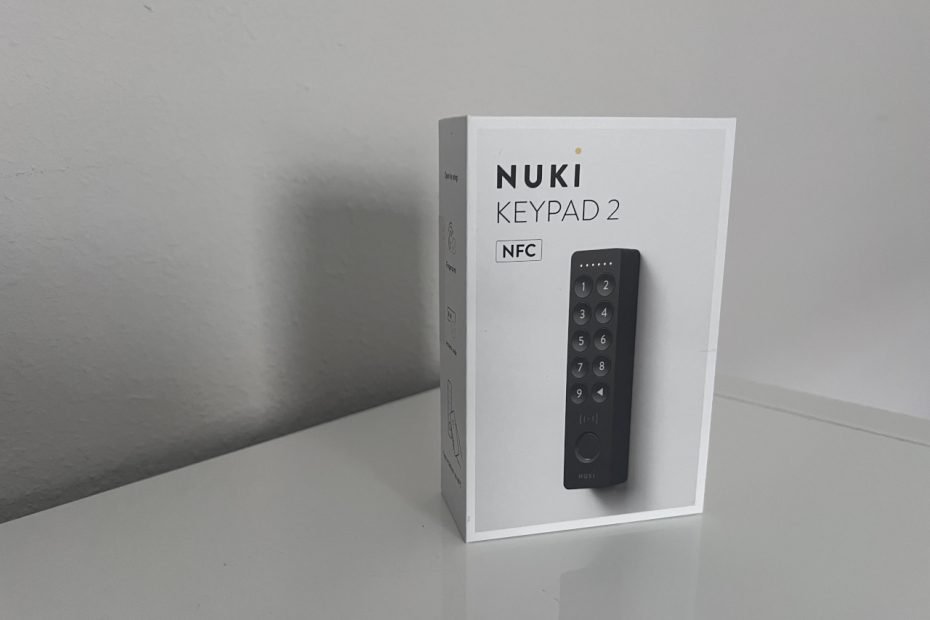

Some upgrades completely change a product. Others just make something already good a little better.
The Nuki Keypad 2 NFC falls into that second category.
I’ve been using the Nuki Smart Lock 2 and the original Keypad 2 for a few months now, and it’s been rock solid. The lock itself has needed a charge here and there, but the keypad? I haven’t even thought about it. Same batteries, no issues. The fingerprint reader has been so reliable that I actually forgot my PIN entirely.
It’s one of those setups that just fades into the background. Walk up, tap, done.
And that’s exactly what you want from a smart lock.
So when Nuki released a new version of the keypad with NFC and Apple Home Key support, it didn’t feel like a must-have upgrade. It felt more like an AirPods-style refresh. Same core product, just a few thoughtful additions on top.
The big question is whether those additions are actually useful.
The Keypad 2 NFC costs about $20 more than the original. I’ll link both versions below so you can compare current pricing. For that, you get NFC unlock, Apple Home Key support, and more ways to interact with your lock. But if the original already works this well, do you really need any of that?
That’s what I’m testing here.
If you haven’t read my full review of the Nuki Smart Lock 2 and Keypad 2 yet, I’ve already covered the install, app, and long-term experience there. This one is focused on what’s new, and whether it’s worth paying a little extra.
What’s New
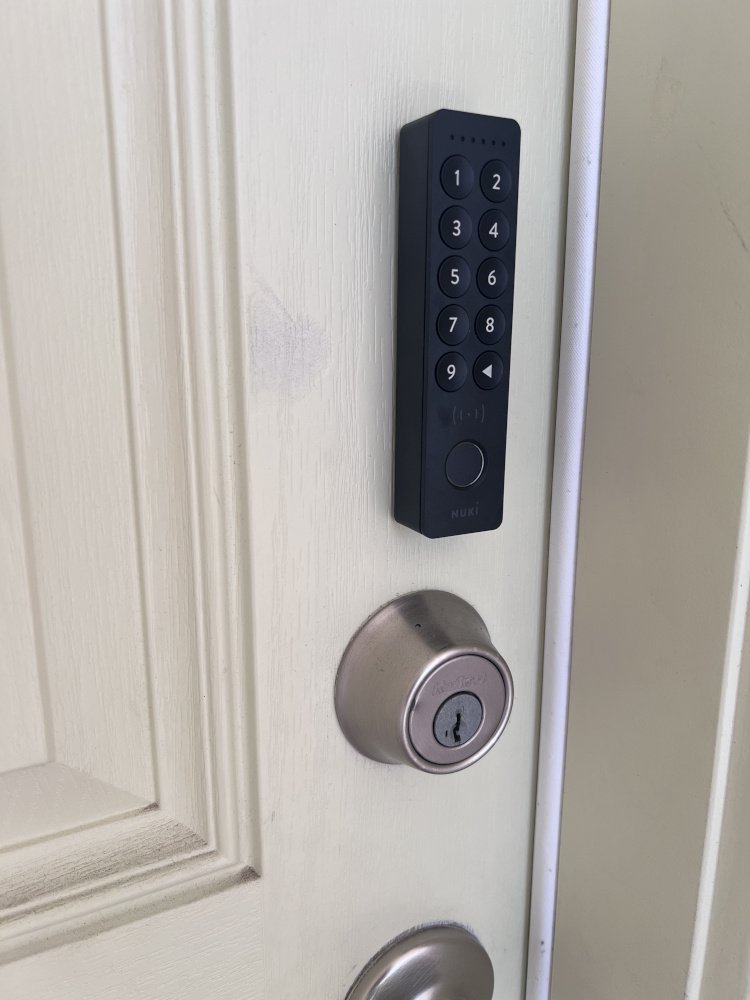
At first glance, the Nuki Keypad 2 NFC (on Amazon) looks almost identical to the original(on Amazon). Same size, same layout, same clean design. If you’ve used the Keypad 2 before, nothing here will feel unfamiliar.
The difference is the icon just below the keypad and above the finger print sensor.
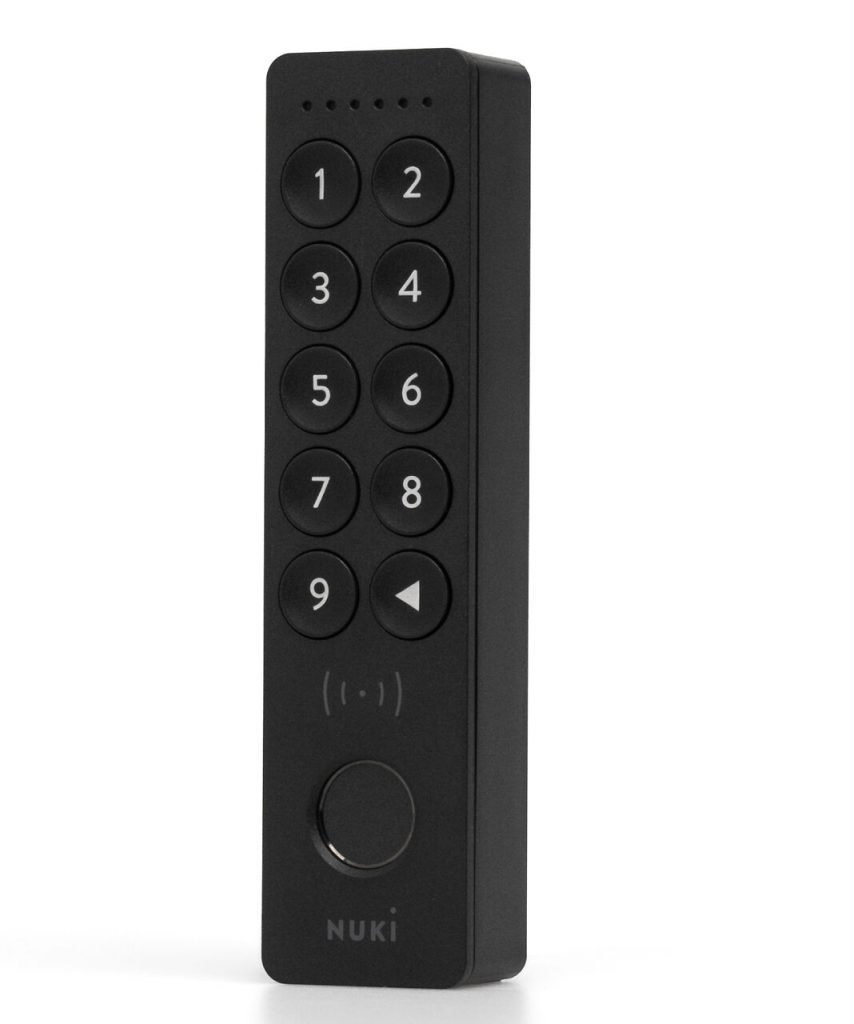
And it all centers around one thing: more ways to unlock your door.
For about $20 more, the NFC version adds:
- NFC tap-to-unlock using your phone or compatible devices
- Apple Home Key support (with a Home hub)
- Continued support for fingerprint and PIN codes
So instead of replacing anything, Nuki is just layering on more options.
You can store up to:
- 35 NFC keys
- 20 fingerprints
- 200 entry codes
That makes this especially useful for families, guests, or even short-term rentals.
From a hardware standpoint, not much has changed—and that’s a good thing. You still get:
- Easy, no-wire installation (adhesive or screws)
- Weather-resistant design (IP54)
- Around 12 months of battery life
It also keeps one of Nuki’s biggest advantages:
everything is stored locally with end-to-end encryption, and cloud access is optional.
So again, you’re not buying a new keypad. You’re getting more ways to interact with the same one.
Unboxing, Setup & First Impressions
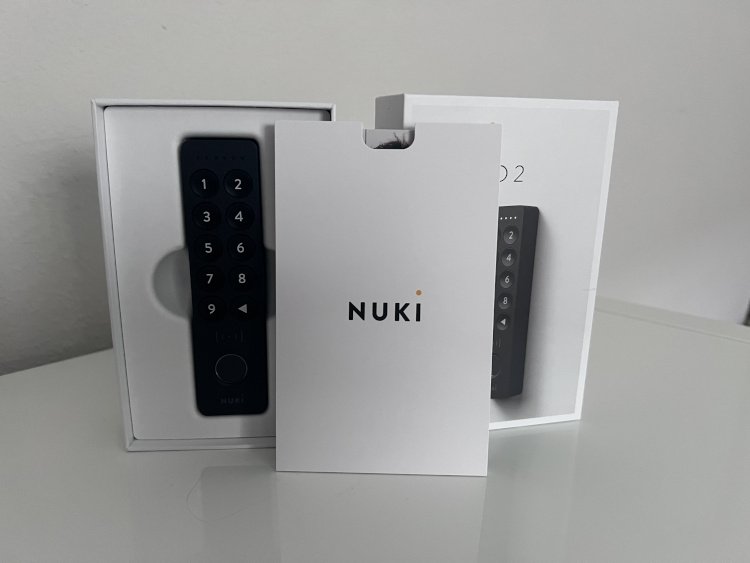
If you’ve used the original Keypad 2, the NFC version will feel very familiar right out of the box.
The hardware is nearly identical, including the same mounting bracket, which makes upgrading easy. You won’t need to rethink placement or redo anything. Just swap it in.
The only real visual change is a small NFC logo above the fingerprint reader, showing where to tap your phone.
Setup is just as simple as before. Power it on, hold the button for a few seconds, and the Nuki app finds it almost instantly.
There is one extra step:
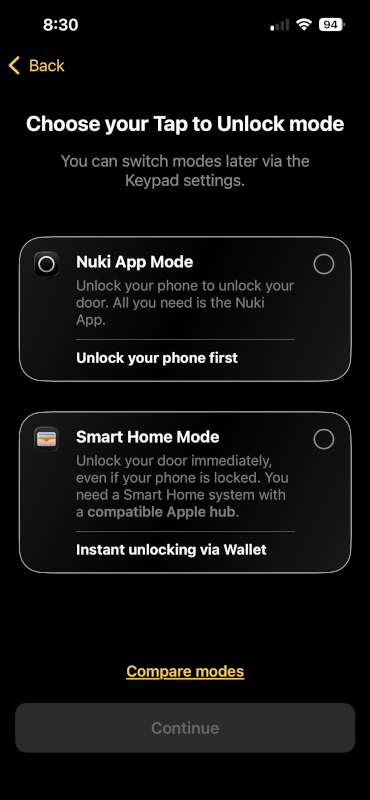
You’ll need to update the firmware during setup.
It takes a few minutes, but it’s required before NFC features are enabled.
From there, the app walks you through:
- Setting up 6-digit PIN codes
- Adding fingerprints
- Configuring tap-to-unlock (NFC)
Everything is smooth and easy to follow, just like the rest of the Nuki app.
Apple Home Key Setup (Important)
This is where your experience can change quite a bit.
To get the full NFC experience, you’ll need:
- An Apple TV or HomePod (Home hub)
With that:
- Tap phone or Apple Watch → door unlocks instantly
Without it:
- Tap → notification → open app → unlock
It still works, but it’s not quite the same “tap and go” experience.
NFC in Everyday Use (Without an Apple Home Hub)
I wasn’t able to test Apple Home Key with an Apple Watch since I don’t have a Home hub, but I did spend some time using NFC with just the Nuki app on my iPhone.
And honestly, this is probably how most people will experience it.
Here’s how it works in practice:
- Tap your phone on the keypad
- Your phone wakes up with a notification
- Tap it
- The Nuki app opens and unlocks the door
It’s not quite tap-and-done, but it’s still quicker than:
- Opening the app manually
- Typing a PIN
After a few uses, it starts to feel natural. You walk up, tap, confirm, and you’re in. It’s a small improvement, but a noticeable one.
Where It Works Well
- Quick unlock when your hands are full
- Faster than launching the app yourself
- No need to remember a code
- Feels modern and responsive
Where It Falls Short
Without a Home hub, you’re missing the best version of this feature:
- Tap → notification → unlock
Instead of:
- Tap → unlocked
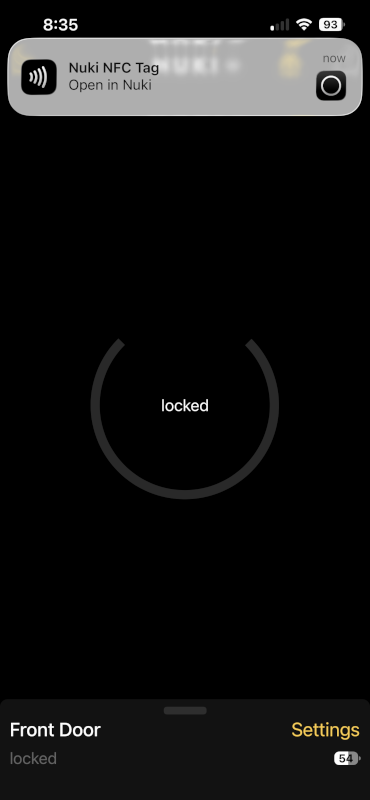
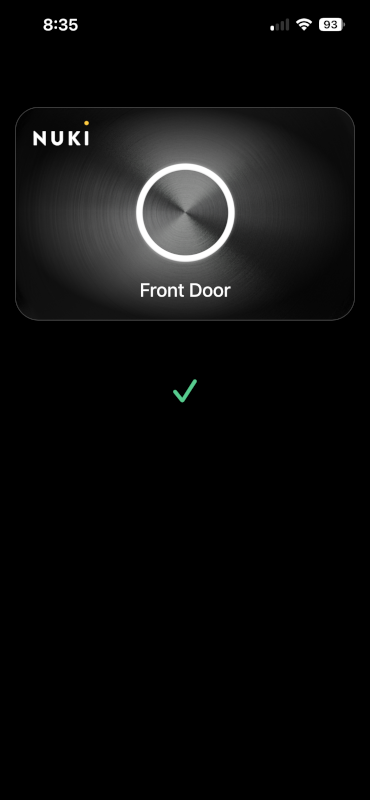
It’s not a dealbreaker, but it does add a small bit of friction. Once you’ve used smoother unlock methods like fingerprint, you notice that extra step.
Still, as a backup or alternative method, it works well and adds a bit more flexibility to the overall experience.
Fingerprint vs NFC vs PIN: What You’ll Actually Use
After months of using the Keypad 2, one thing becomes pretty obvious:
you won’t use every unlock method equally.
Fingerprint: Still the Best Option
Fingerprint is still the default for a reason.
- Fast
- Reliable
- Always available
I’ve been using it daily, and it works so well that I actually forgot my PIN entirely.
No phone. No thinking. No friction.
You just touch the reader and you’re in. That’s hard to beat, and it’s why this ends up being the primary way you’ll unlock your door.
NFC: Cool, But Situational
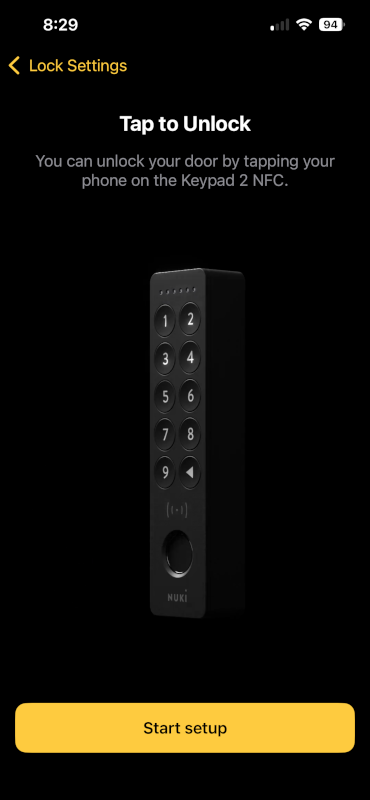
NFC is a nice addition, but it feels more like a supplement than a replacement.
Without a Home hub, the flow looks like this:
- Tap phone
- Tap notification
- Door unlocks
It works well, and it does feel modern, but it’s not faster than fingerprint.
Where NFC starts to make more sense:
- When your fingerprint isn’t recognized (wet hands, gloves, etc.)
- For guests who don’t want to set up fingerprints
- As a backup that feels more seamless than typing a code
And if you do have Apple Home Key set up, this could easily become one of the best ways to unlock your door.
PIN Codes: Still Important
Even though I barely use them anymore, PIN codes still matter.
They’re especially useful for:
- Kids (my 5-year-old still struggles with fingerprint readers)
- Guests or family members
- Temporary access (cleaners, deliveries, etc.)
One thing to note: PINs are fixed at 6 digits. That might feel a bit restrictive, but it keeps things simple and consistent.
Real-World Breakdown
After months of use, here’s what it actually looks like:
- 90% Fingerprint
- 5% App unlock
- 5% PIN (mostly for others)
- NFC: occasional use (for now)
That could shift if you’re fully set up with Apple Home Key, but without it, fingerprint is still king.
Bottom Line
NFC is a nice upgrade, but it doesn’t replace what already works really well.
The fingerprint reader is still the fastest, easiest, and most reliable way to unlock your door.
NFC just gives you another option, and depending on your setup, it might become a really good one.
Is NFC Worth the Extra $20?
This really comes down to your setup.
If You Have an Apple Home Hub
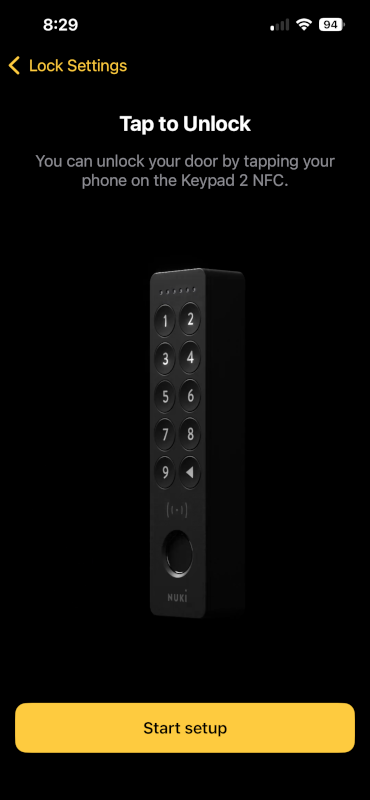
If you already have an Apple TV or HomePod, the answer is simple:
Yes, it’s worth it.
This is where the NFC version really shines. With Apple Home Key, you get:
- Tap your phone or Apple Watch
- Door unlocks instantly
No app. No extra steps.
It’s a meaningful upgrade over the standard Keypad 2 and feels like the seamless experience you expect from a modern smart home.
If You Don’t Have a Home Hub
This is where things get a bit more nuanced.
NFC still works, but the flow becomes:
- Tap phone
- Tap notification
- App opens and unlocks
It’s convenient, but not dramatically better than:
- Using the fingerprint reader
- Or just opening the app yourself
So in this case:
Maybe.
It’s a nice-to-have feature, but not a must-have.
Frequently Asked Questions
No. Both are still available. The NFC version is just an upgraded option with an extra unlock method.
The only real difference is NFC support.
You can unlock using:
Apple Home Key (with a Home hub)
NFC tap with your phone
Everything else, including fingerprint, PIN codes, and design, is essentially the same.
No, but it changes the experience quite a bit.
With a Home hub (Apple TV or HomePod): Tap to unlock instantly using Apple Wallet
Without a hub: Tap triggers a notification, then opens the Nuki app to unlock
It still works without a hub, just with an extra step
Final Thoughts
The Keypad 2 NFC (on Amazon) feels exactly like what it is: a small, thoughtful upgrade to an already excellent product.
After months of using the original Keypad 2, not much has changed in my day-to-day:
- I still rely almost entirely on the fingerprint reader
- I still never think about battery life
- I still don’t remember my PIN
And honestly, that’s a good thing. The foundation was already solid.
What Nuki added here is optional convenience, not a reinvention.
NFC brings a more modern unlock method, and if you’re already in the Apple ecosystem with a Home hub, it genuinely improves the experience. Being able to tap your phone or Apple Watch and just walk in is exactly what you want from a smart lock.
Without that setup, though, it’s more of a nice extra than a must-have.
If you want a deeper look at how the lock and keypad perform overall, check out my full review.