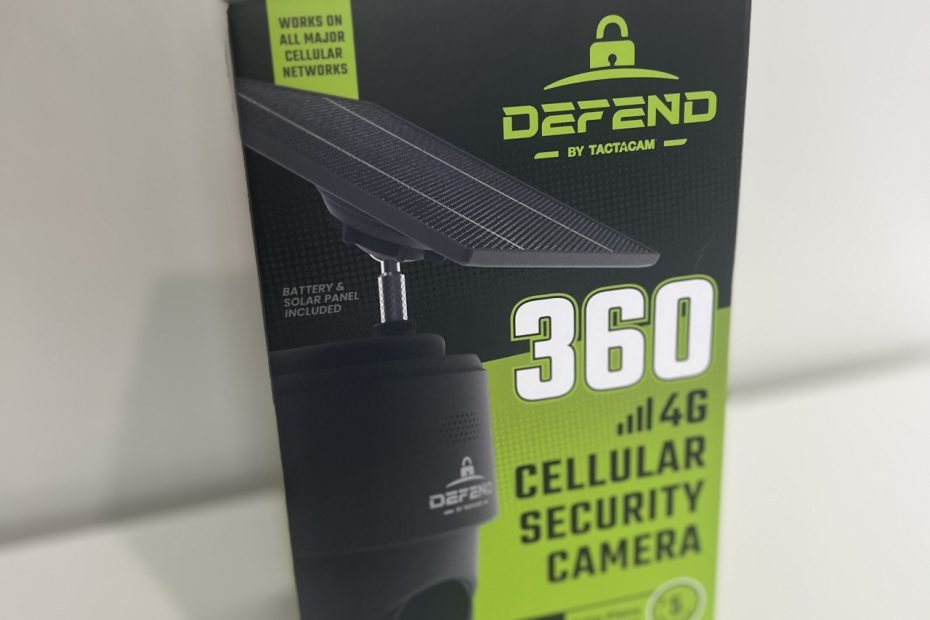

If you’re looking for a security camera that doesn’t rely on Wi-Fi, the TACTACAM Defend 360 immediately stands out. It’s a 4G cellular camera built for places where most cameras fail: remote driveways, barns, job sites, or anywhere Wi-Fi just doesn’t reach. With 360° coverage, smart motion tracking, and unlimited cloud storage included in its monthly plan, it’s designed to bring modern surveillance to the middle of nowhere.
In this review, we’ll see how it performs in the real world, including image quality, app experience, motion alerts, and battery life.
What Makes the Defend 360 Different?
Most “wireless” cameras still rely on Wi-Fi and power cords. The Defend 360 (on Amazon) breaks free from both. It connects over LTE, runs on solar power, and stores everything in the cloud. That means no router range limits, no extension cords, and no power outlets to worry about.
This setup makes it ideal for driveways, barns, cabins, and remote properties where a traditional camera simply won’t work. The built-in solar panel and 10,000mAh battery keep it running indefinitely in sunlight, and even in cloudy conditions it can last several weeks between charges.
Coverage is another standout feature. With a 355-degree pan and 75-degree tilt, the camera can monitor an entire area with a single mount. You can rotate it directly from the app to follow motion or check specific zones, reducing the need for multiple cameras.
There is one limitation to know up front: it’s locked to TACTACAM’s own cellular network plans. You can’t swap in a SIM card from another provider, so you’ll need one of their data plans to get started.
Specs Snapshot
TACTACAM Defend 360 – Key Specs
- Power: Solar + 10,000mAh rechargeable battery
- Connectivity: 4G LTE (no Wi-Fi)
Storage: Cloud-only with subscription - Resolution: 20MP stills / 1080p video
- Coverage: 355° pan, 75° tilt
- Weather Rating: IP65 (dust-tight and rainproof)
- Operating Temp: -13°F to 131°F (-25°C to +55°C)
- Mounting: Fixed bracket (wood surfaces only)
- App: TACTACAM Defend (iOS & Android)
Unboxing & First Impressions
The Defend 360 arrives in straightforward but sturdy packaging, with the camera and solar panel neatly separated by molded inserts. Everything feels secure and purpose-built, not flashy but well organized.
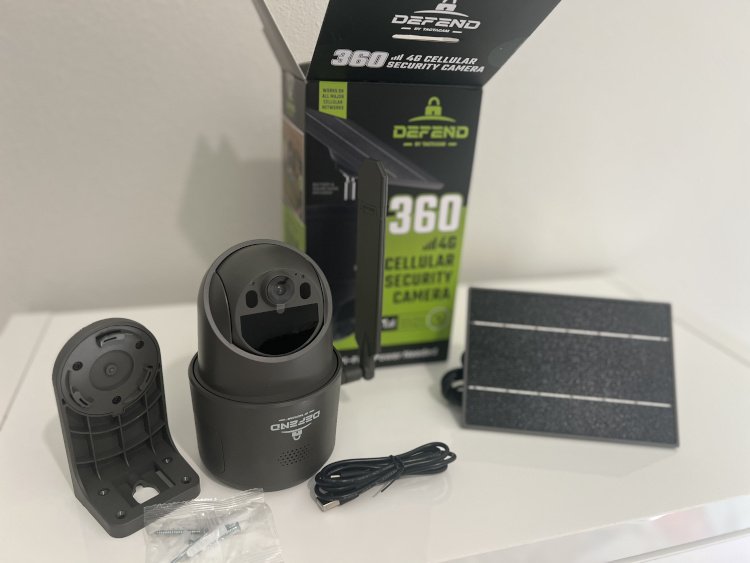
Right out of the box, the size and heft stand out. At around 600 grams, it’s noticeably heavier than typical Wi-Fi security cameras. The build feels professional, dense, durable, and ready for the outdoors. The matte dark finish with a textured grip gives it a premium look, and the IP65 weatherproof rating means it’s dust-tight and safe in heavy rain. It’s rated for temperatures from -13°F to 131°F, so it’s built to survive real outdoor conditions, not just mild backyards.
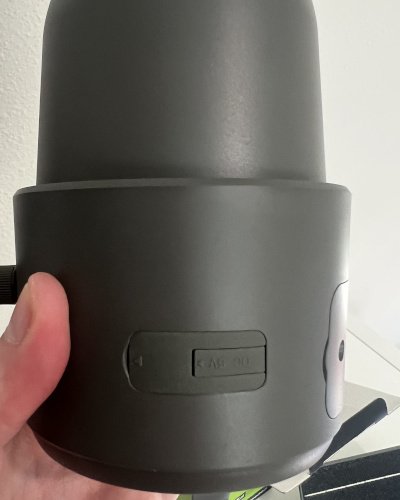
The 10,000mAh lithium battery is secured inside the housing with screws, a small detail that makes it feel rugged and tamper-resistant. The included solar panel also feels higher-end than the glossy plastic ones bundled with cheaper models, with a solid frame and weather-sealed cable connection.
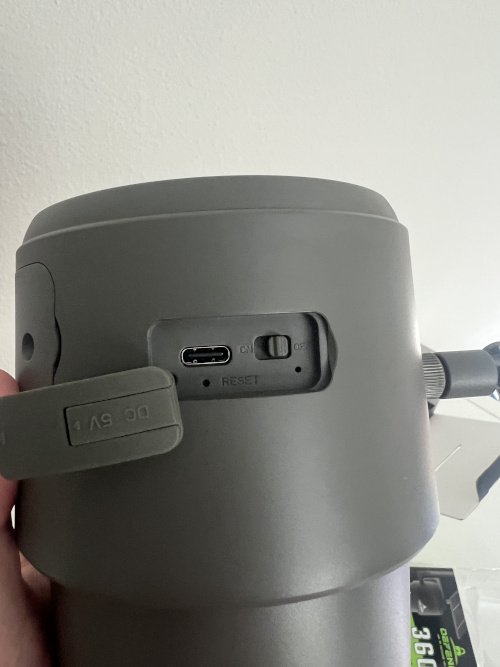
Ports and buttons are clearly laid out: a USB-C port under a thick rubber cap for charging or solar input, a dedicated LTE antenna port, and a physical power switch. There’s no SIM slot since the camera uses a built-in eSIM. GPS support is included, so photos and videos can be tagged with location data automatically.
The included mounting hardware is basic but solid, a bracket and screws meant for direct installs on wood surfaces like fences, sheds, or posts. However, it’s not compatible with universal tripods or strap mounts.
That limitation matters if you were hoping for an easy tree install. My go-to tree mount setup didn’t fit this camera at all. The Defend 360’s mount design simply doesn’t allow for that type of attachment without an adapter or custom bracket.
If you’re planning to mount on concrete, metal, or a tree, you’ll need a third-party adapter or different bracket style. For standard flat wooden surfaces though, the included mount works securely and keeps the camera stable.
Battery & Solar Performance
Power is one of the Defend 360’s biggest strengths, and a major reason it’s suited for remote installs. The combination of a large 10,000mAh lithium battery and a 6.6V solar panel gives it serious staying power, even when sunlight isn’t perfect.
In testing, the camera easily lasted several weeks on a full charge without solar input. Once the solar panel was connected and positioned toward the sun, the battery level stayed topped off, even with multiple motion triggers per day. It’s a true “set and forget” setup when the panel has good exposure.
TACTACAM rates the Defend 360 for operation between -25°C and +55°C (-13°F to 131°F), and that range feels realistic. The camera handled both cold mornings and midday heat without any issues. The sealed design keeps moisture out while allowing the internal battery to maintain steady performance across temperatures.
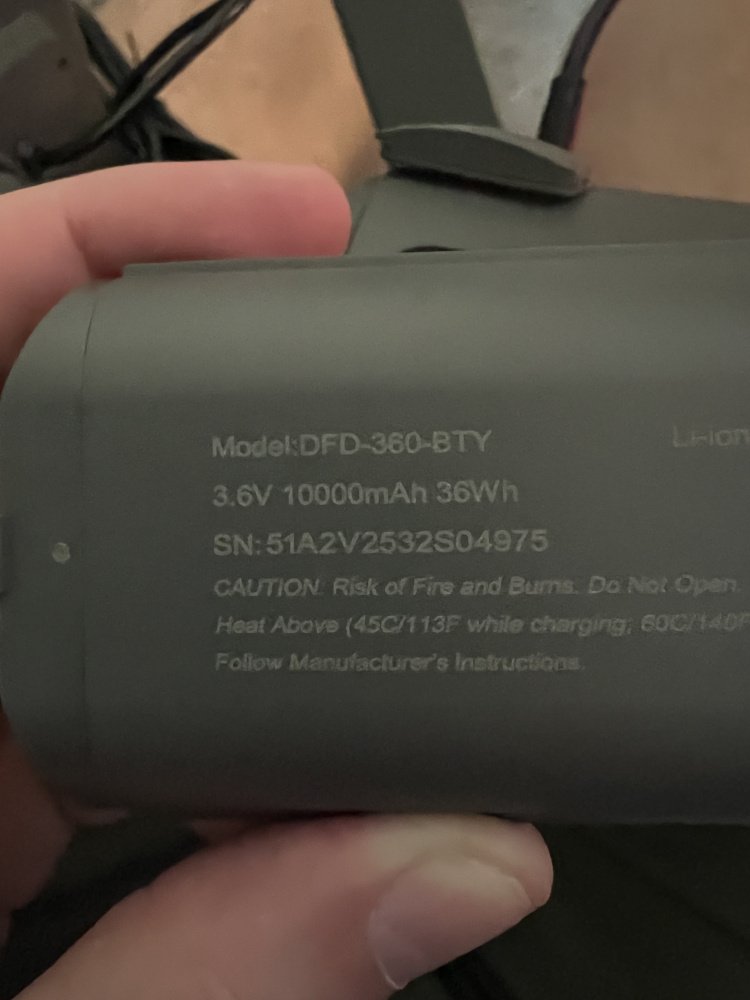
Another bonus: the battery isn’t permanently sealed. It’s secured with screws but removable, meaning you can swap in a spare pack if you ever need quick turnaround. That’s rare for solar cellular cameras in this price range.
One small tip: use a USB-C power source for the initial charge before setup. The battery takes several hours to fill, and charging it fully ensures the solar panel doesn’t need to “catch up” on day one.
In short, TACTACAM’s power setup works exactly as advertised. When installed in decent sunlight, the Defend 360 can run indefinitely without manual charging, a huge advantage for properties where constant access to power simply isn’t possible.
App & Web Portal
Setup and control for the Defend 360 happen entirely through the TACTACAM Defend app, not the Reveal app used by their other cameras. Once you’ve created an account and activated your plan, setup is simple: scan the QR code under the camera mount, power it on, and wait for the connection light to turn blue. Within a few minutes, the first image appears in the app, confirming everything’s online and ready.
The Defend app is clearly built with efficiency in mind. It prioritizes low bandwidth use and battery life above everything else. The camera primarily uploads motion-triggered photos, not continuous video streams, which helps it stay online for weeks or even months on solar power alone.
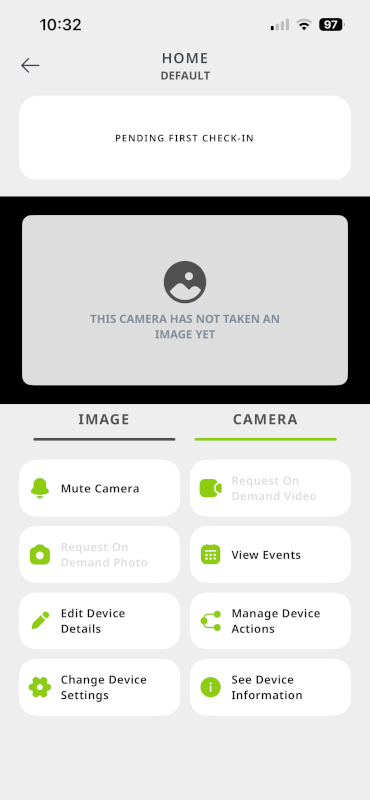
Still, you can manually request a video or photo anytime. When you do, the camera wakes up, captures the footage, and sends it back over LTE. It just takes a few moments to appear in the app. The quality is solid, with clear 20MP stills and smooth 1080p video once it arrives.
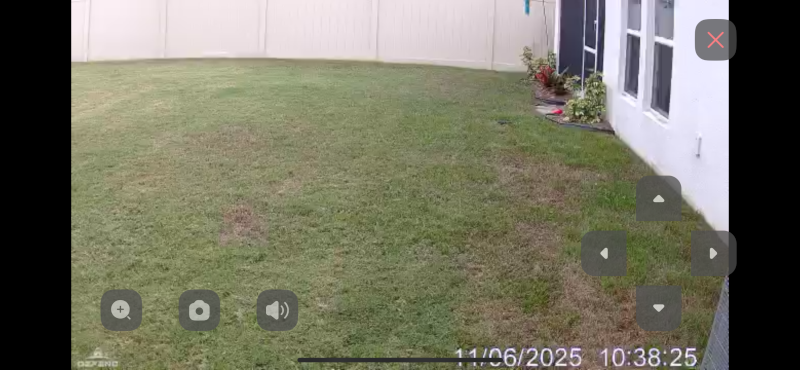
Live View mode is available too, but TACTACAM warns that it’s heavy on both data and battery. It’s best reserved for quick checks or when testing placement during setup. This is where your plan choice really starts to matter since cheaper plans limit how often you can stream live footage.
The app includes all the key controls you’d expect: remote 355° pan and 75° tilt, PIR sensitivity adjustment, and transmission scheduling (from real-time to four times per day). You can also set operating hours or put the camera in “photo + video” mode for richer clips.
There’s also a Wi-Fi mode hidden in the menus, which supposedly allows local viewing without using data, but it was unreliable in testing. The network never appeared on an iPhone, so that feature remains hit or miss.
For users who prefer a larger interface, TACTACAM provides a web portal. It’s straightforward and great for reviewing captured images on a desktop or laptop, though not as feature-rich as the mobile app.
Overall, it’s a clean, minimal system designed for hands-off operation. Once installed, the Defend 360 does its job quietly, capturing events, sending alerts, and managing its own power and data. There’s very little configuration needed. Just mount it where you want it, activate a plan, and you’re good to go.
Pricing Plans
This is where most users will hesitate. Before you can even turn the Defend 360 on, you have to pick and pay for a plan. There’s no free trial or limited activation mode; the camera simply won’t activate until a subscription is active.
TACTACAM offers three core plans:
| Plan | Monthly | Key Limits |
| Basic | $5 | 250 photos per month, 3 live views, 60-day storage |
| Standard | $13 | Unlimited photos, 5 live views |
| Premium | $19 | Unlimited access, higher upload priority |
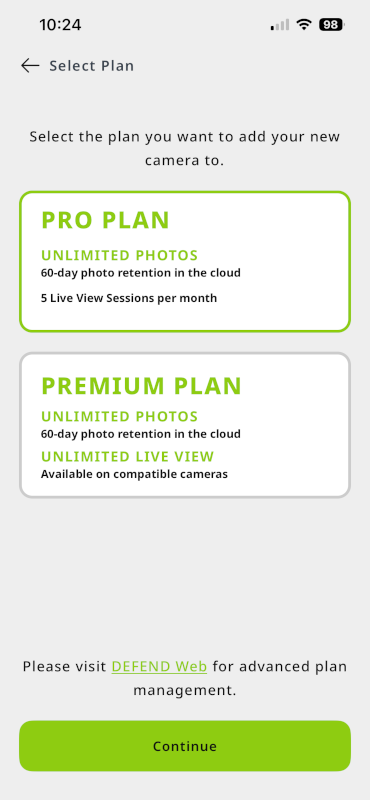
On top of those, there’s a Plus Add-On ($9 per month) that unlocks HD video, faster transfers, a full year of cloud storage, and AI-based object detection. Without that add-on, you’ll miss out on features like motion classification and longer clip access.
TACTACAM does offer a yearly discount (around 22%), but once you factor in the $200+ price of the camera, the total cost of ownership jumps quickly. The hardware is excellent! But the ongoing plan feels more like a cell carrier model than a typical smart camera subscription.
If you only want photos and occasional live checks, the Standard plan is fine. But if you expect smart detection or HD playback, you’ll end up paying for the add-on anyway.
That said, the cost also buys simplicity. There’s no need to mess with SIM cards, APN settings, or router pairing. It connects automatically and just works. For a camera that runs completely off-grid, that kind of plug-and-play reliability is worth something.
Camera Setup & Activation
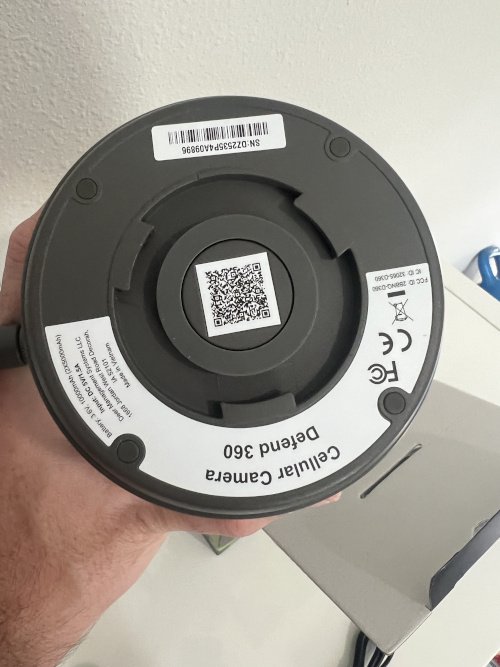
Getting the Defend 360 online is refreshingly simple. The QR code sits on top of the camera, hidden just beneath the mounting bracket. You’ll scan it in the TACTACAM Defend app to link the camera to your account. But remember, you’ll need an active plan before you can continue.
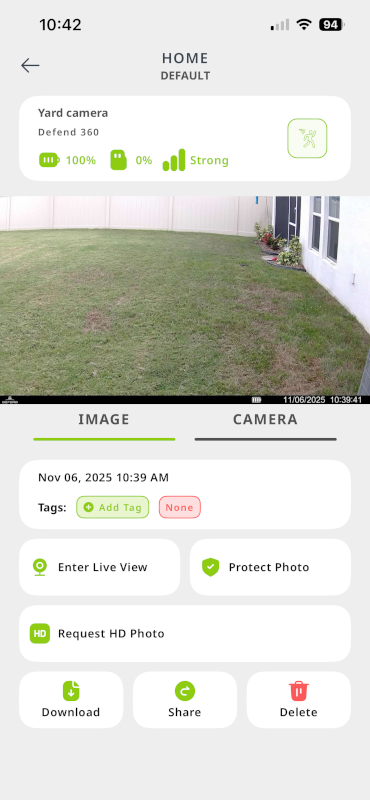
Once that’s done, flip the power switch on the bottom and make sure you’re in a spot with good 4G coverage. In my case, I had to move the camera closer to a window before it connected. After a short wait, the LED turns green, confirming a solid connection, and the app finishes activation in about two to three minutes.
After setup, the first image usually appears within a few minutes. From there, the Defend app takes over. It’s built to conserve battery and data, so everything is geared toward motion-triggered photos and short clips. You can manually request photos or video, but it takes a moment for those to transmit.
Live view is available too, though the app warns about heavy data and battery use, so it’s best saved for quick checks. There’s technically a Wi-Fi mode that should let you connect locally without using data, but I wasn’t able to get it working. The network never showed up on my iPhone.
Overall, the setup is smooth and surprisingly hands-off. You don’t have to mess with SIM cards, storage setup, or pairing tricks. Everything from LTE connection to cloud storage is handled automatically. Once mounted (just one screw point since the solar panel is built in), you’re up and running with minimal effort.
This really is a “set it and forget it” system the kind of camera you place somewhere and only check when it actually matters.
Performance & Real-World Usage
For testing, I mounted the Defend 360 in my backyard, a good middle ground with solid 4G coverage and direct sunlight. Setup went smoothly, and once the solar panel caught light, the battery barely moved for days.
Image & Video Quality
Photo quality is impressive. The 20 MP stills look sharp and balanced, with true-to-life colors during the day and strong infrared range at night, roughly 70 to 75 feet of clear visibility. Night images stay clean, avoiding the blown-out look common with cheaper IR sensors.
Speed & Responsiveness
Here’s where the Defend 360’s design philosophy really shows. This camera isn’t built for instant reactions — it’s built for endurance. Motion events are detected quickly, but the photo or video upload to the app can take a few minutes to appear. That delay is the tradeoff for conserving bandwidth and battery, since everything is transmitted over LTE rather than local Wi-Fi.
You can request fresh images or video clips on demand, but those also take time to retrieve. Live view works, but the app includes clear warnings about high data usage and battery drain. It’s best used sparingly. A quick check-in rather than a constant feed.
Battery & Solar Performance
The built-in 10 000 mAh battery is generous, and the included 6.6 V solar panel easily keeps up with moderate use. Even after a few cloudy days, the camera never dipped below 80%. It’s well-balanced for off-grid reliability, not continuous streaming.
Reliability
Throughout testing, the Defend 360 maintained a stable 4G signal and consistent motion detection. The only lag I noticed was the delay between event and upload. Expected behavior for a system that prioritizes efficiency. Once images appeared, they were consistently clear and timestamped accurately.
Overall, the Defend 360 feels like a camera meant to work quietly in the background, capturing only what matters, using just enough power and data to stay online for weeks at a time.
Mounting & Installation
Mounting the Defend 360 is simple but a little restrictive. The included bracket and screws are meant for wood surfaces like fences, posts, sheds, or trees. It attaches securely with a single mounting point that also holds the solar panel arm, which is permanently connected to the camera.
The metal bracket feels sturdy, but it’s not universal. There’s no ¼-20 tripod thread, no strap mount, and no included hardware for concrete or metal surfaces. If you plan to install on anything other than wood, you’ll need an adapter plate or third-party mount.
That limitation also rules out some creative setups. For example, my tree mount from a previous project (Smart Home Explained tree installation guide) didn’t fit the Defend 360 at all. The screw layout and balance point just don’t line up for that kind of strap-based installation.
Before tightening everything down, it’s worth checking the LTE signal strength in the app. The camera needs a solid 4G connection to upload photos and video. I tested mine in several backyard spots and found even small location changes — a few feet left or right — could make a noticeable difference in upload reliability.
Once mounted, the Defend 360 sits firmly and doesn’t wobble, even in wind. The solar panel tilts just enough to catch light through most of the day, though it’s not adjustable on a separate axis. Overall, installation takes only a few minutes, and the hardest part is just deciding where your signal and sunlight line up best.
Verdict Summary
| Pros | Cons |
| 360° pan-tilt coverage eliminates blind spots | Subscription required for activation |
| 20 MP stills and clear 1080p video | No free or trial tier |
| True wireless design (solar + battery) | Slower response than Wi-Fi cameras |
| Excellent weatherproofing (IP65) | Limited mounting options |
| Simple setup and clean app interface | No universal SIM support |
Who Should Buy the Defend 360
The TACTACAM Defend 360 is built for people who need dependable security far from power outlets and Wi-Fi routers. It’s an excellent fit for rural homes, barns, farms, cabins, or construction sites, where running cables or setting up Wi-Fi just isn’t practical.
If you value low maintenance and long-term reliability, this camera shines. Once mounted and activated, it manages power, storage, and connectivity on its own, no manual syncing or recharging needed.
That said, it’s not for everyone. If you expect instant notifications, frequent live feeds, or want to avoid monthly costs, this isn’t your ideal pick. The Defend 360 prioritizes endurance and autonomy over instant responsiveness.
Think of it as a security scout: quietly standing watch, sending updates only when something moves.
In short:
Perfect for: off-grid users, remote properties, seasonal cabins, and areas without Wi-Fi.
Not ideal for: those who want 24/7 live streaming or dislike subscriptions.
It’s a tool built with one clear goal to give you eyes in the places you can’t easily reach. For that purpose, it absolutely delivers.