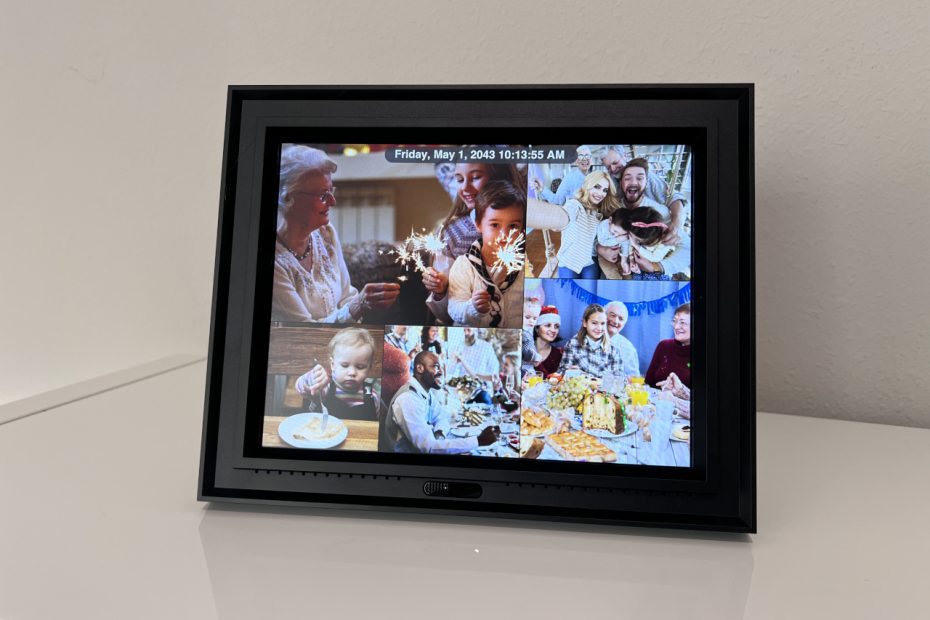

We have thousands of family photos sitting in Amazon Photos. Most never get seen. Meanwhile, our living room walls had almost nothing from the last decade on them.
So my wife decided it was time for a digital picture frame.
Enter the Pix-Star LUX 10.4″ Digital Picture Frame (on Amazon).
What Is the Pix-Star LUX?
The Pix-Star LUX is a smart digital picture frame built around one idea: make family photo sharing easy. A lot of smart home products try to do everything. The Pix-Star LUX mostly stays focused on photos, and honestly, I prefer that here.
Photos can reach the frame several ways:
- Phone app
- Email uploads
- Web portal
- USB drives
- SD cards
That flexibility matters more than you’d think. Different family members are comfortable with different tech. My parents would probably stick to email uploads. I mostly used the app and web portal.
One thing worth knowing upfront: the web portal matters more than expected. Some settings only exist there. Features like “Do Not Disturb” are oddly buried online instead of on the frame itself. More on that below.
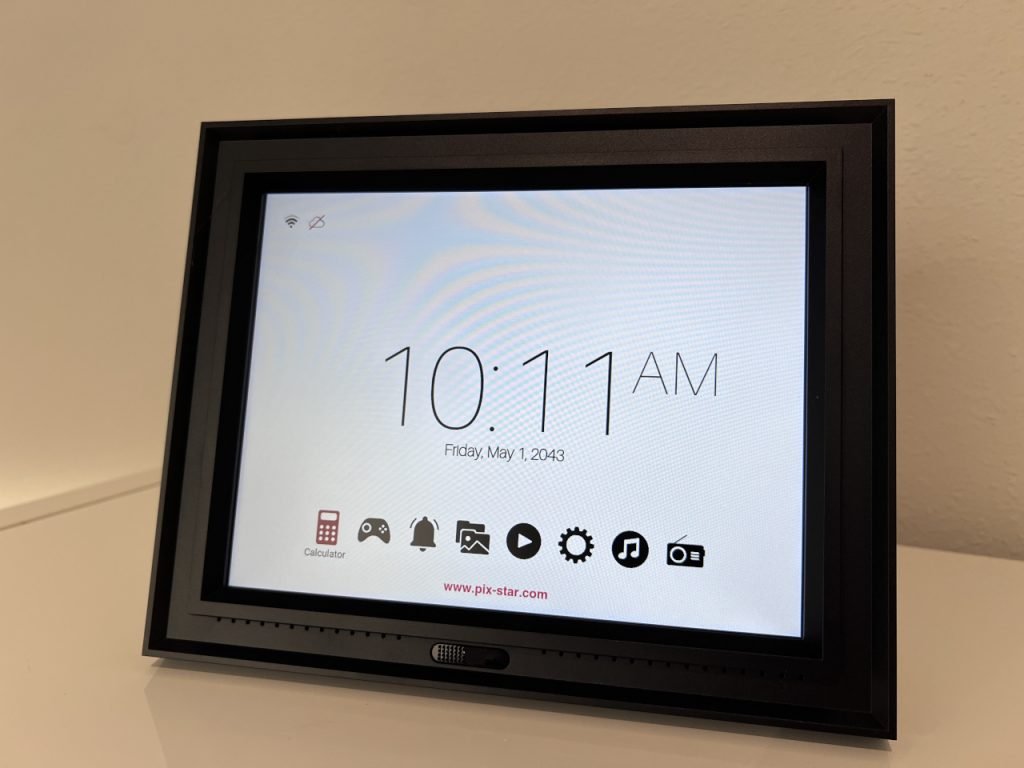
The frame also includes a few bonus features like weather updates, reminders, and a calculator, like the Divoom frame, which has a very different style than this frame.They stay out of the way though.
The LUX Line: What Makes It Different?
The LUX lineup is Pix-Star’s more premium tier. The design feels cleaner and more modern than the cheap digital frames scattered around big-box stores.
The 10.4-inch size (on Amazon) hits a nice middle ground. Big enough to see clearly across a room, but not so large it takes over a shelf.
A few mounting options come included:
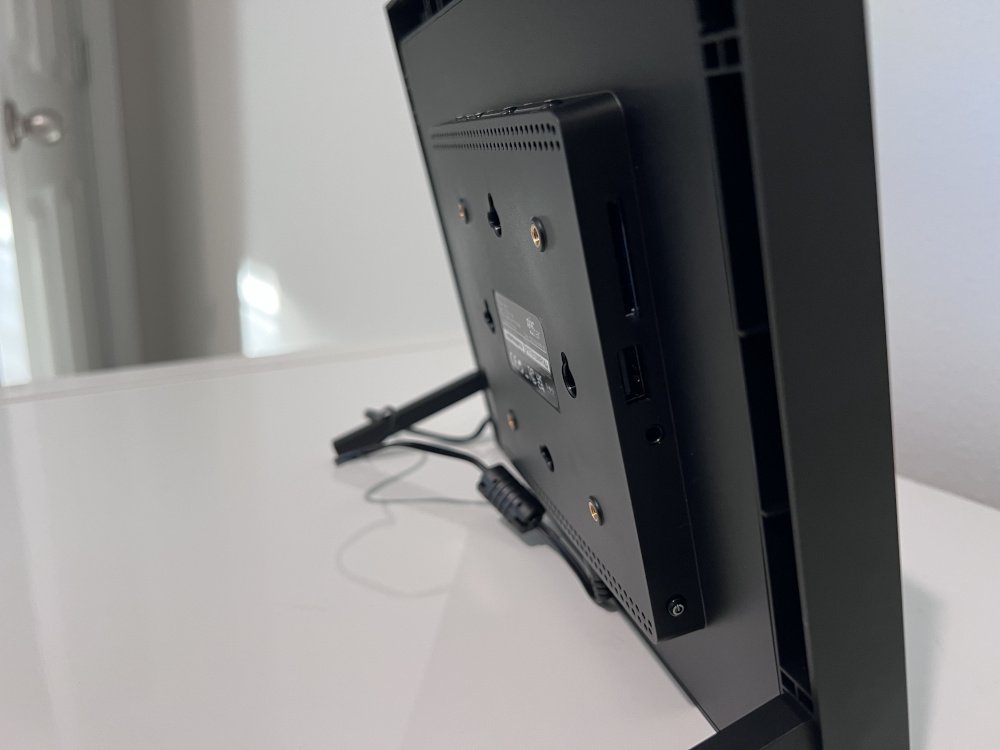
- Built-in rear stands
- Standard wall mount holes
- VESA mounts on the back
The remote is also better than expected. Batteries come included, which already puts Pix-Star ahead of half the gadgets in my house. There is even a magnetic slot on the back of the frame to store the remote when not in use.
Note: The magnetic remote holder works great in landscape mode. Portrait mode is awkward though. The remote tends to fall off unless the frame is rotated the opposite direction.
Unboxing and Setup
Setup was honestly painless. Inside the box: the frame, power cable, remote, batteries, and rear stands.
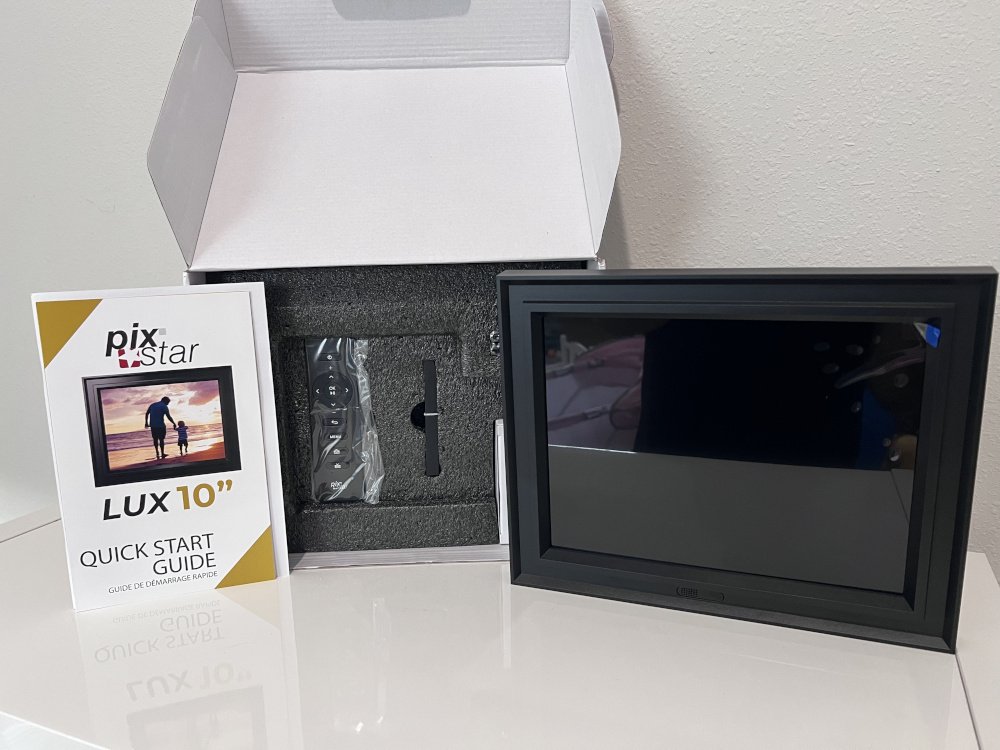
The frame boots up quickly. No long loading screens or confusing setup loops.
A few things to know before starting:
- Have your WiFi password ready. Typing it with the remote is the most annoying part of setup. It feels like texting on a 2007 flip phone.
- The frame is not a touchscreen. The remote handles all navigation.
- The rear stands slide in vertically, not horizontally. I tried the wrong direction first.
After connecting to WiFi, the frame asks you to register at pix-star.com/register. Registration unlocks the smarter features: phone app uploads, email sharing, web portal management, and remote settings. It only takes a few minutes.
Also: Make sure to remove the default sample images from the frame after setup. Otherwise they will show up mixed into your slideshow.
Screen Quality
The screen is the best part of the whole frame.
Photos look sharp, colorful, and bright without looking fake or oversaturated. Cheap frames sometimes push colors into cartoon territory. The Pix-Star LUX handles that much better.
Brightness gets seriously high. I actually turned it down after the first day. Florida summer light is no joke, and the frame more than held its own.
Viewing angles are solid too. Photos look good from across the living room, not just directly in front.
The frame itself looks clean and understated. Guests usually assume it is a normal picture frame until the photos change.
Uploading Photos
Getting photos onto the frame is easy once everything is registered.
Phone app is the simplest method for most people. After linking the frame to my account, uploading pictures from my iPhone took just a few taps. The Pix-Star Snap app has solid reviews and it shows.
Email uploads feel perfect for grandparents or less tech-savvy family members. After registration, the frame gets its own dedicated email address. Anyone can email photos as attachments directly to the frame. No apps or accounts needed on their end.
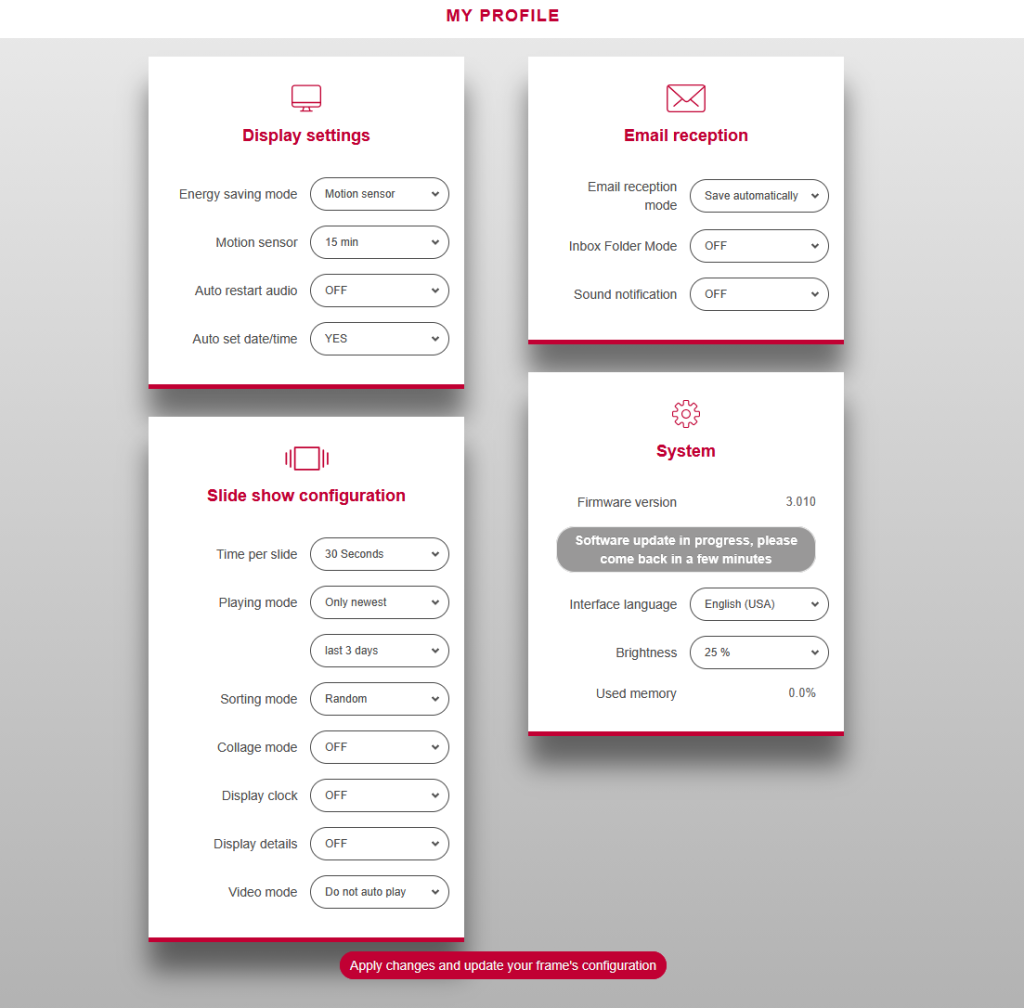
Web portal ended up being the most useful for bulk uploads. Uploading large albums from a computer browser is much faster than doing it one by one through the app. It also has hidden settings not available anywhere else.
USB drives and SD cards round out the options. Honestly, USB drives might be the easier choice these days. Spare SD cards are hard to find, but random USB drives seem to multiply in kitchen drawers.
One missing feature: Amazon Photos sync. My family has literal decades of photos stored there, so no direct integration is a real disappointment. On the other hand, manually picking photos means the slideshow stays intentional instead of surfacing every blurry screenshot and accidental pocket photo.
iPhone HEIC images also worked perfectly during testing. No manual conversion needed.
Smart Features and Hidden Settings
Beyond the slideshow, the Pix-Star LUX has a few smart features worth knowing about.
Motion Sensor
The frame can turn the display off when nobody is nearby and wake back up when motion is detected. It worked well most of the time. Walking into the living room usually brought the screen back within a second or two.
At night, though, it got a little annoying. A late-night kitchen trip sometimes lit the frame back up like it wanted to join the conversation.
Do Not Disturb Mode
There is a proper Do Not Disturb schedule that disables the motion sensor during set hours. However, this setting only exists in the web portal. It is not on the frame or in the app.
Once enabled, the frame stays off during scheduled hours entirely. That setting feels essential for overnight use.
Other Features
- Weather updates
- Reminders
- Clock functions
- Calculator
None of those feel intrusive. The frame still behaves like a photo frame first.
Samba Share Support
This one caught my eye immediately. Samba is a network sharing protocol used on Linux systems. The frame appears to support connecting directly to a shared network folder on your local network.
Sadly, I could never get it working with my existing Samba server. The frame provides almost no error feedback during setup, so troubleshooting becomes mostly guesswork. Less technical users will never need this feature anyway, but better error messages would go a long way for those who do.
Who Should Buy the Pix-Star LUX?
The Pix-Star LUX makes the most sense for families who want simple photo sharing without fighting complicated menus.
It works especially well if you want:
- Easy uploads from a phone or email
- A bright, sharp display
- Multiple ways to get photos onto the frame
- Expandable storage
- A polished, approachable setup experience
You might want something different if:
- You are heavily invested in Amazon Photos. The missing sync support will frustrate you.
- You want deep smart home integrations. The frame stays fairly self-contained.
For most families, that simplicity is part of the appeal. The Pix-Star LUX spends far more time showing photos than trying to become another distracting smart device.
Frequently Asked Questions
Yes, WiFi is required for app uploads, email sharing, cloud features, and remote management. Local photos from USB drives or SD cards still work without it though.
No. Direct Amazon Photos sync is not currently supported. That was my biggest disappointment during testing. Echo Show is still a solid option for that.
Yes. The frame supports both SD cards and USB storage. The built-in 16 GB is already plenty for most families.
Yes, but the best controls are only in the web portal. The Do Not Disturb schedule there disables the motion sensor entirely during selected hours
No. Navigation is handled entirely with the included remote control. Menus are straightforward once setup is done.
Yes. HEIC images from newer iPhones work without any conversion needed.
Final Verdict
The Pix-Star LUX 10.4″ Digital Picture Frame quietly became part of daily life faster than expected.
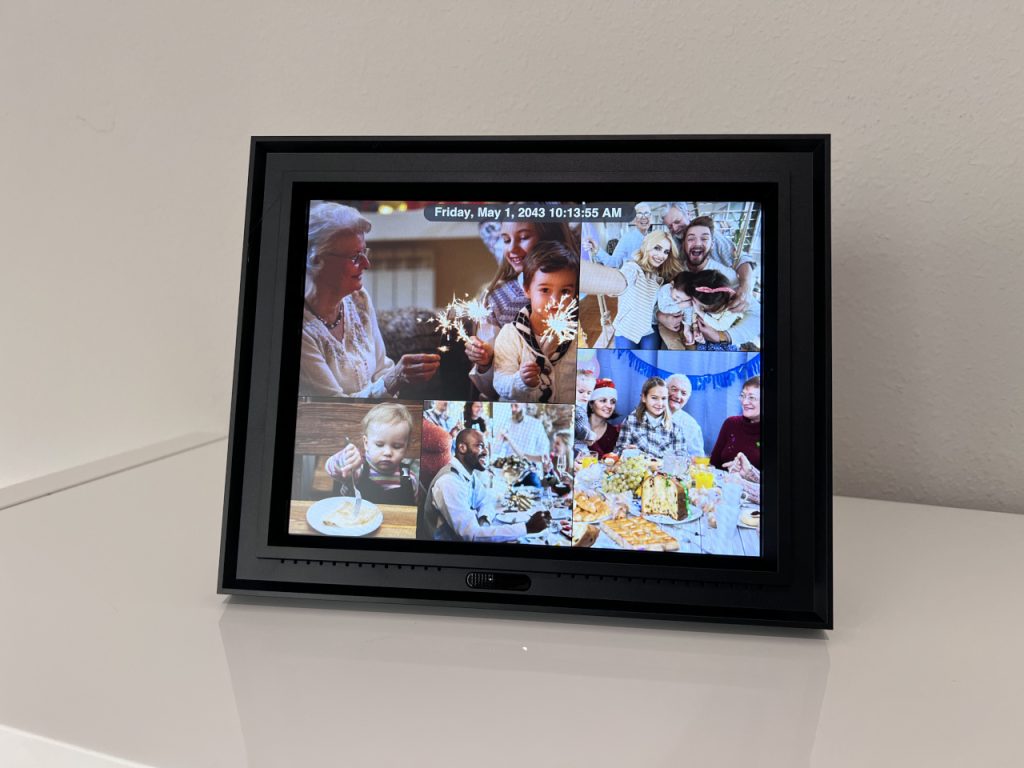
The screen looks excellent. Uploads are simple. Setup is approachable even for less technical users. Once everything is connected, it mostly stays out of the way and does its job.
A few frustrations exist. Amazon Photos support would make a big difference for my family. Some settings also feel oddly buried in the web portal instead of on the device.
Still, the overall experience is polished.
More importantly, the frame actually brought old family memories back into view. Photos that sat untouched in cloud storage for years suddenly became part of everyday life again. For a digital picture frame, that is really the whole point.
You can find it on Amazon.